


Introduction
Open rates drop, replies stop, and the copy has not changed. The question that follows is usually: is it the email, or is it the domain? You can answer the domain half yourself, because most of what a receiving server knows about your domain is public. It is in DNS, in the registry and on blocklists, and anyone can read it.
The short answer: check six things. Whether the domain is on a blocklist, whether SPF, DKIM and DMARC are published and valid, whether it has MX records, whether it has a working website, and how old it is. If all six are healthy and mail still lands in spam, the cause is more likely the content, the list or how recipients react, and that needs a different test.
What A Receiver Can See About Your Domain
Mailbox providers also keep private reputation data, built from how their users treat your mail: opens, replies, spam reports. You cannot see that directly, though Gmail shows part of it in Postmaster Tools once you send enough volume. The public signals are different: they are the same for every receiver and you can check every one of them today.
| Signal | Where it lives | What a bad result looks like |
|---|---|---|
| Blocklist listings | DNS-based blocklists (DNSBLs) | The domain, or a server behind it, is listed |
| SPF | A TXT record on the domain | Missing, two records, more than 10 lookups, or ending in +all |
| DKIM | A TXT record at selector._domainkey | No key for the selector your provider signs with |
| DMARC | A TXT record at _dmarc | Missing, invalid, or no p= policy |
| MX | MX records on the domain | None, so replies and bounces have nowhere to go |
| Website | The domain's A record and certificate | Nothing on https://, or a certificate that fails |
| Age | The registry, over RDAP | Registered days or weeks ago |
How To Check Each One By Hand
Blocklists
A DNSBL answers a DNS query: if example.com.dbl.example-list.org resolves, the domain is listed. Check the domain itself and the IP addresses of the servers that send for it. A listing on a major list is the single strongest public signal against you, which is why it matters more than anything else on this page. What is a DNSBL explains the lookup, and email blacklist removal covers getting off each list.
One caution: some of the best-known lists, Spamhaus among them, allow free queries only for non-commercial use. A business tool that checks them without a paid feed is breaking their terms, and a public resolver often gets a refusal that looks like "not listed". Check those lists on their own websites.
SPF, DKIM And DMARC
dig +short TXT example.com              # SPF: one record starting v=spf1
dig +short TXT google._domainkey.example.com   # DKIM: v=DKIM1; k=rsa; p=…
dig +short TXT _dmarc.example.com       # DMARC: v=DMARC1; p=…
Google's sender guidelines require SPF or DKIM from every sender, and SPF, DKIM and DMARC from anyone sending more than 5,000 messages a day to Gmail accounts. Yahoo's are the same in substance. Beyond presence, check the details: one SPF record, not two (multiple SPF records explains why), no more than 10 DNS lookups (SPF PermError), and a DMARC record that carries a p= tag. A DMARC record at p=none is valid and meets the requirement, but it asks receivers to do nothing with mail that fails.
MX Records And A Website
Run dig +short MX example.com. A sending domain with no MX records cannot receive replies or bounces, and that pattern, a domain that only sends, is what throwaway domains look like. Then open https://example.com in a browser. A prospect who gets a cold email checks the domain; a parked page or a certificate warning loses the reply before any filter has a say.
Domain Age
Look the domain up at ICANN Lookup. It reads RDAP, which ICANN made the definitive source for generic top-level domain registration data on 28 January 2025, replacing WHOIS. A domain registered last week has no sending history, so receivers have very little to judge it on. You cannot speed age up; you can only send carefully while it builds. New domain for cold email covers that.
What To Fix First
- A blocklist listing. Stop sending from the listed domain or server, find the cause (usually a bad list or a compromised account), fix it, then request removal.
- Broken or missing authentication. A broken SPF record is worse than none: receivers treat it as a permanent error. Fix SPF, turn on DKIM signing, publish DMARC.
- No MX, no website. Point MX at your mailbox provider and put a real page with a valid certificate on the domain.
- DMARC at p=none. Read the aggregate reports, confirm every real sender passes, then move to
p=quarantine. DMARC from none to reject has the rollout. - A young domain. Nothing to fix; keep volume low and warm mailboxes slowly.
Domain Reputation Questions
Is Domain Reputation The Same As Domain Authority?
No. Domain authority and domain rating are SEO scores built from backlinks. Mailbox providers do not use them. Email domain reputation comes from authentication, blocklists, sending history and how recipients react to your mail.
Should I Send Cold Email From A Separate Domain?
Many teams do, so that a cold campaign's reputation cannot affect the domain their customers and invoices use. A separate domain still needs everything on this page, and it starts with no history, so it needs a slow start.
How Often Should I Check?
Before every new campaign and whenever results drop. DNS records get edited, certificates expire and listings happen without notice.
How Eklow Handles This
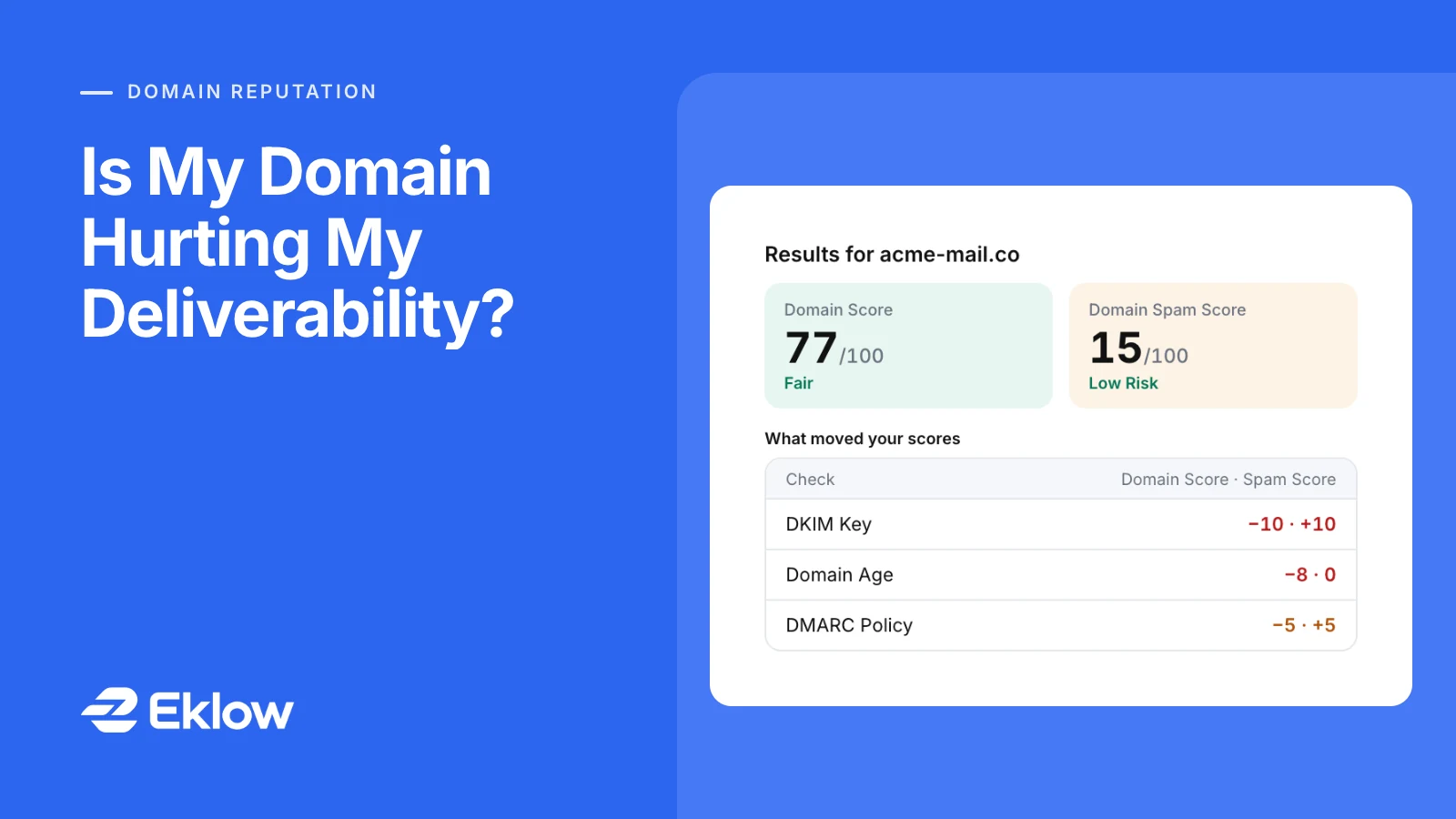
The free Domain Score Checker runs every check on this page in one go: RDAP registration date, SPF, DKIM, DMARC and MX in DNS, a real TLS handshake with the website, and live blocklist lookups on the domain and the servers behind it. It gives two scores, a Domain Score (higher is better) and a Domain Spam Score (higher is riskier), from one published weight table, and shows the points each check moved. A check that times out is left out of both scores rather than counted, and lists that need a commercial licence are marked Not Checked.
Inside Eklow, every sending domain is checked under Senders → Domains. SPF, DKIM and DMARC must verify before a mailbox on that domain can send, and a verified domain is re-checked every six hours, with a notification if it stops passing.
Keep reading
- DeliverabilityChoosing An Outreach Email Tool: What Actually Affects Inbox PlacementComparing outreach and email marketing tools? The features that change whether mail reaches the inbox, the ones that only look good in a demo, and questions to ask before you pay.4 min read
- DeliverabilityWhy Did My Email Bounce? How To Read A Bounce, Recipient By RecipientWhy did my email bounce? How to read a bounce message, tell a hard bounce from a soft one, and spot whether a campaign's bounces come from the list or from one sending domain.5 min read
