


Introduction
Your DMARC record has said `p=none` since the day you set up the domain. A customer forwards you a convincing invoice that came from your own address, and it was not you. Someone says the fix is to switch to `p=reject`. You are fairly sure that, done carelessly, the same switch also bounces your newsletter, your billing emails and the replies your sales team sends from a tool nobody told IT about.
Both worries are right. Moving DMARC from p=none to p=reject is safe when you do it in three stages, each one checked against your aggregate reports: monitor at none until every service that sends as you passes, quarantine for at least as long again, and only then reject. The rest of this article is how to run each stage and what tells you it is time to move.
What Each DMARC Policy Asks Receivers To Do
A DMARC policy is a request, not a command. RFC 9989, the May 2026 standard that replaced RFC 7489, says receivers apply it as part of their own local policy (§5.3.6). Here is what each value asks for when a message fails DMARC:
| Policy | What failing mail gets | What it protects |
|---|---|---|
| p=none | Delivered as if DMARC did not exist. You only get reports. | Nothing yet. It is a monitoring mode. |
| p=quarantine | Treated as suspicious, which in practice usually means the spam folder. | Spoofed mail mostly stops reaching the inbox. |
| p=reject | Refused during the SMTP conversation, so it never arrives. | Spoofed mail is blocked outright, where receivers honour it. |
One detail surprises people: RFC 9989 §7.4 says receivers MUST NOT reject solely because a domain publishes p=reject, and without other evidence they should treat it as quarantine. Big mailbox providers do act on reject, but the policy is a strong signal rather than a switch.
Why Going Straight To Reject Breaks Legitimate Mail
DMARC passes when SPF or DKIM passes for a domain that matches your From address. Two kinds of real mail fail that test, and p=none hides both of them from you because nothing bounces.
Services You Forgot Send As You
A help desk, an invoicing app, a calendar tool, a website form. Each one may send with your address in From but with its own domain in the Return-Path and its own DKIM signature. SPF passes for their domain, DKIM passes for their domain, and DMARC still fails for yours. At p=none those messages arrive normally, so no one notices until enforcement starts.
Forwarding And Mailing Lists
When a recipient's old address forwards to a new mailbox, the final server sees the forwarder's IP, which your SPF record does not list. RFC 9989 §7.4 describes exactly this with alumni forwarders and role addresses, and notes that DKIM signatures generally survive the relay. That is why it says domains publishing p=reject MUST NOT rely on SPF alone and MUST sign with DKIM. Mailing lists that change the subject or footer can break DKIM too, which is why the same section advises domains whose people post to lists not to publish reject at all.
Before You Change The Policy
Three things have to be true before any stricter policy is worth publishing. Skip one and the reports you collect will not tell you what enforcement would do.
- Aggregate reports are arriving. The record needs a
rua=mailto:address you can read. If that address is on another domain, the other domain must publish a TXT record atyourdomain._report._dmarc.theirdomaincontainingv=DMARC1, or receivers drop the reports (RFC 9990 §4). - SPF is valid and lists every sender you know about. One record, under ten DNS lookups.
- Mail is DKIM-signed with your own domain. For every service, not only your main mailbox provider. This is the one that matters most for reject.
Moving DMARC From None To Reject, Stage By Stage
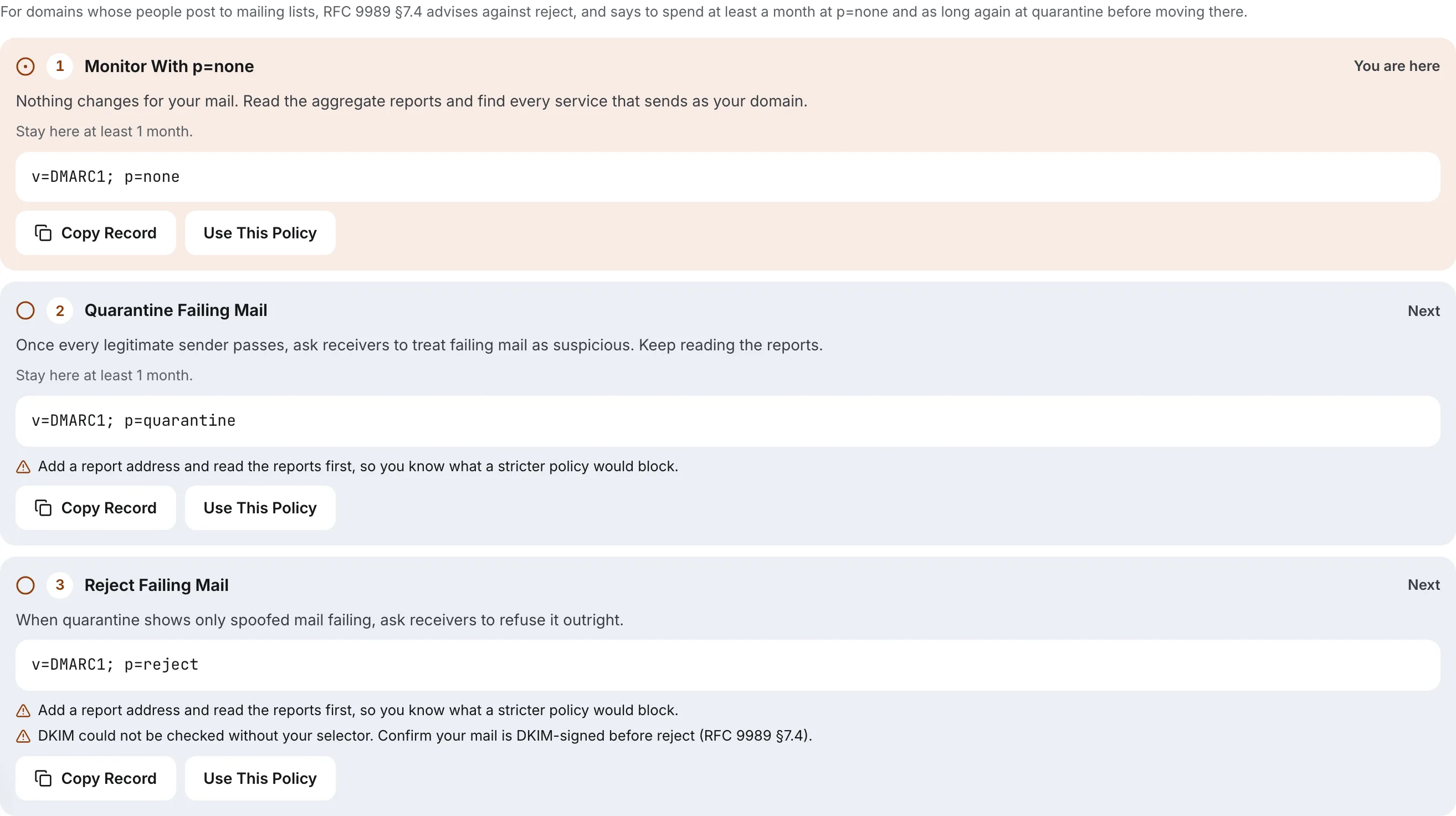
RFC 9989 is specific about pacing for domains with ordinary users: publish p=none for at least a month, then p=quarantine for an equally long period, comparing the results before going further (§7.4). It also says that, depending on how often you send, reaching certainty can take many months (§5.1.7). Treat a month as the floor, not the target.
Stage One: Monitor
Publish v=DMARC1; p=none; rua=mailto:[email protected] and read the reports for at least four weeks. Each report lists sending IPs, message counts and whether SPF and DKIM passed and aligned. Make a list of every source. For each legitimate one, fix authentication at the source: add it to SPF, or better, turn on DKIM signing with your domain in that service's settings. Ignore sources you do not recognise; those are what enforcement is for.
You are ready to move on when every legitimate source shows an aligned pass, and the only failures left are IPs you cannot explain.
Stage Two: Quarantine, Tested First
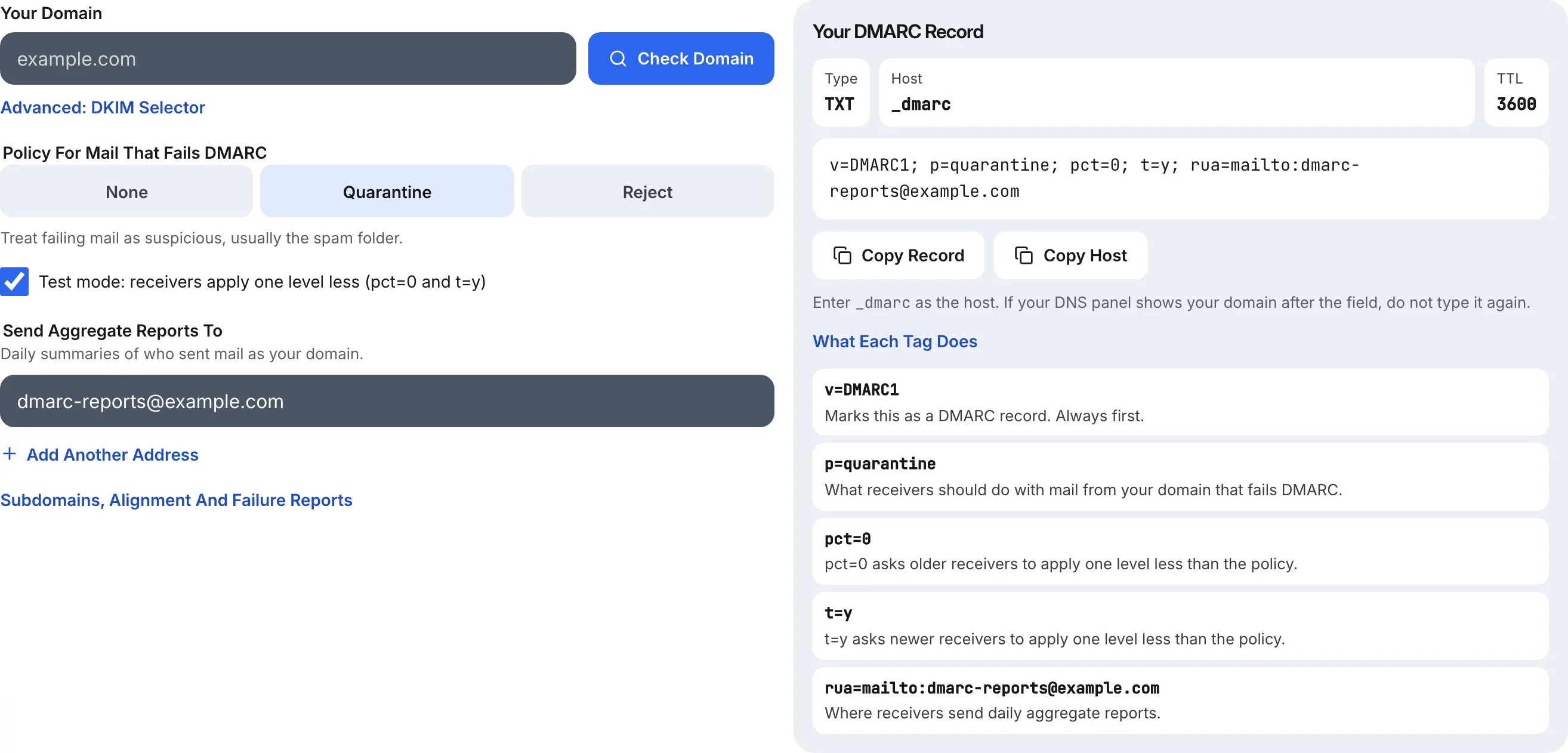
Older guides tell you to ramp quarantine with pct=10, then 25, then 50. RFC 9989 removed pct, because receivers applied values other than 0 and 100 inconsistently (Appendix A.6). What replaced it is a test flag: t=y asks receivers to apply one level less than your policy, so quarantine is treated as none. Receivers still on RFC 7489 ignore t, but they read pct=0 the same way, so a record that works for both reads:
v=DMARC1; p=quarantine; pct=0; t=y; rua=mailto:[email protected]Leave that up for a week or two while you watch the reports. Some forwarders change their handling when they see test mode, so the reports show you how much of your mail passes through intermediaries. Then remove pct=0; t=y and run full quarantine for at least a month. Complaints that a real message landed in spam are the signal to look for, and each one usually points to a sender you missed.
Stage Three: Reject
Repeat the same pattern: p=reject; pct=0; t=y first, which receivers treat as quarantine, then plain p=reject. Keep rua in the record for good. Reports are how you find out that a team adopted a new tool last quarter and its mail started failing.
Do Not Forget Subdomains
A policy on example.com also covers subdomains that publish no record of their own. That is useful, but it means a marketing tool sending as news.example.com is pulled into enforcement with everything else. If one subdomain needs more time, give it its own record at _dmarc.news.example.com with p=none while the parent moves ahead. RFC 9989 also adds np, a policy for subdomains that do not exist at all, which you can set to reject early because no real mail comes from a name that does not exist.
DMARC Enforcement Questions
How Long Should I Stay At None Before Quarantine?
At least a month, according to RFC 9989 §7.4, and then as long again at quarantine before reject. Low-volume domains often need longer, because some senders, such as quarterly invoices, only appear in the reports occasionally. Move when every legitimate source has passed with alignment for a full sending cycle.
Can I Still Use The Percentage Tag?
Receivers on the new standard ignore it, and values between 1 and 99 were never applied consistently. The one value worth keeping is pct=0, published alongside t=y, because both groups of receivers then step your policy down one level. Everything else should be the full policy with no pct at all.
Is Quarantine Enough, Or Do I Need Reject?
Quarantine already keeps most spoofed mail out of inboxes, and it is the safer end state for domains whose people use mailing lists. Reject is stronger because the message never arrives at all. Gmail, Yahoo and Outlook accept any policy, including none, for their bulk sender rules, so the choice is about protection, not compliance.
What If Real Mail Starts Failing After I Enforce?
Step back one level straight away, from reject to quarantine or from quarantine to test mode, then find the source in your aggregate reports. Fix its SPF or DKIM at the sending service and move forward again. A DMARC change takes effect as caches expire, so publish the rollback first and investigate second.
How Eklow Handles This
The free DMARC record generator builds the record for each stage. Its Check tab reads what your domain publishes now, along with SPF, a DKIM key if you give it your selector, and whether a report address on another domain has authorised your reports. The Rollout Plan tab turns that into the three stages above, with a minimum of one month at each and the specific blockers for your domain, such as no report address or no DKIM key found. Test mode always writes pct=0 and t=y together, and only when the policy is quarantine or reject, where it has an effect.
Inside Eklow, a domain you add is asked for p=none with aggregate reports collected, and verification accepts any valid DMARC record you already publish, whatever its policy. Campaigns only send from mailboxes whose domain has passed verification, and every verified domain is re-checked every six hours, so a record that breaks mid-rollout is flagged instead of silently failing. The domain verification guide walks through the records, and SPF, DKIM and DMARC explained for founders covers how the three fit together.
Keep reading
- DeliverabilityIs My Domain Hurting My Deliverability? A Domain Reputation Check, Signal By SignalHow to check your domain's reputation as an email sender: the public signals receivers can see, how to read each one by hand, and what to fix first when your domain is the problem.5 min read
- DeliverabilityChoosing An Outreach Email Tool: What Actually Affects Inbox PlacementComparing outreach and email marketing tools? The features that change whether mail reaches the inbox, the ones that only look good in a demo, and questions to ask before you pay.4 min read
