


Introduction
Sending cold email from a separate domain is common sense: if a campaign goes badly, the domain your customers know is not the one that pays for it. The mistake is treating the new domain as ready the day it is registered. It has no history, no records and often no website, and that is exactly what a domain set up to spam looks like.
The short answer: before the first cold email, a new domain needs SPF, DKIM and DMARC, MX records, a real website on HTTPS, mailboxes that have been warmed up, and a low starting volume. Age is the one thing you cannot set up; everything else takes an afternoon.
1. Choose The Domain
- Close to your brand. A recipient who checks the domain should recognise you: a variant such as
getacme.comoracmehq.com, not a random string. - A mainstream ending. Pick a top-level domain your prospects already see in business mail.
- Never a free or disposable domain. Cold email from a free mailbox carries no business identity, and addresses on throwaway domains are refused by many services.
- Check its past. A domain that expired and was re-registered can carry old listings. Run a blocklist check before you buy, not after.
2. Publish The DNS Records
| Record | Host | Example value |
|---|---|---|
| SPF (TXT) | @ | v=spf1 include:_spf.google.com ~all |
| DKIM (TXT) | selector._domainkey | The key your mailbox provider generates |
| DMARC (TXT) | _dmarc | v=DMARC1; p=none; rua=mailto:[email protected] |
| MX | @ | Your mailbox provider's mail servers |
Google's sender guidelines require SPF, DKIM and DMARC from bulk senders, and a new cold email domain should meet the bulk bar from day one. Start DMARC at p=none so you can read reports without risking your own mail, then tighten it once every sender passes (DMARC from none to reject). Publish exactly one SPF record; the SPF record generator merges providers into one.
3. Put A Real Website On It
Either redirect the new domain to your main site or publish a short page about the company. Both need a valid HTTPS certificate. Prospects check the sender's domain before they reply, and a parked page or a browser warning tells them the email was not worth answering.
4. Set Up Mailboxes And Warm Them
Create mailboxes for real people, with names, photos and signatures, not sales@. Then warm each one: a slow ramp of real conversations that builds the sending history the domain lacks. Mailbox warmup: the ramp schedule that actually works has the numbers. Warming takes weeks, and it is the part people skip.
5. Respect The Domain's Age
A domain's registration date is public: anyone can read it over RDAP, for example at ICANN Lookup. Receivers do not publish an age threshold, so be wary of any article that names an exact one. What is certain is that a domain registered this month has no reputation to lean on, so every early send counts more. Keep the first weeks to small volumes sent to people likely to reply.
6. Start Small And Spread Out
Volume on a new domain is a matter of mailboxes and spacing, not of one mailbox sending more. How many cold emails per day works through the arithmetic. Spread sends across the working day with randomized gaps rather than in bursts (email throttling for cold email).
7. Check It Before The First Send
- The domain resolves and is not on a blocklist.
- One SPF record, under 10 lookups, ending in
~allor-all. - A DKIM key on the selector your provider signs with.
- A DMARC record with a
p=policy. - MX records pointing at your mailbox provider.
- A website on HTTPS with a valid certificate.
- Mailboxes warmed, and the first campaign small.
New Domain Questions
How Many Domains Do I Need?
Enough that each mailbox can stay at a modest daily volume. Work backwards from the volume you need, the per-mailbox limit you are comfortable with and how many mailboxes you want per domain.
Can The New Domain Just Redirect To My Main Site?
Yes. A redirect over HTTPS gives prospects a real destination. The new domain still needs its own SPF, DKIM, DMARC and MX records, because those are read per domain.
Should I Buy An Aged Domain?
Only after checking its blocklist status and what it was used for. An old domain with a bad past starts behind a new one with no past.
How Eklow Handles This
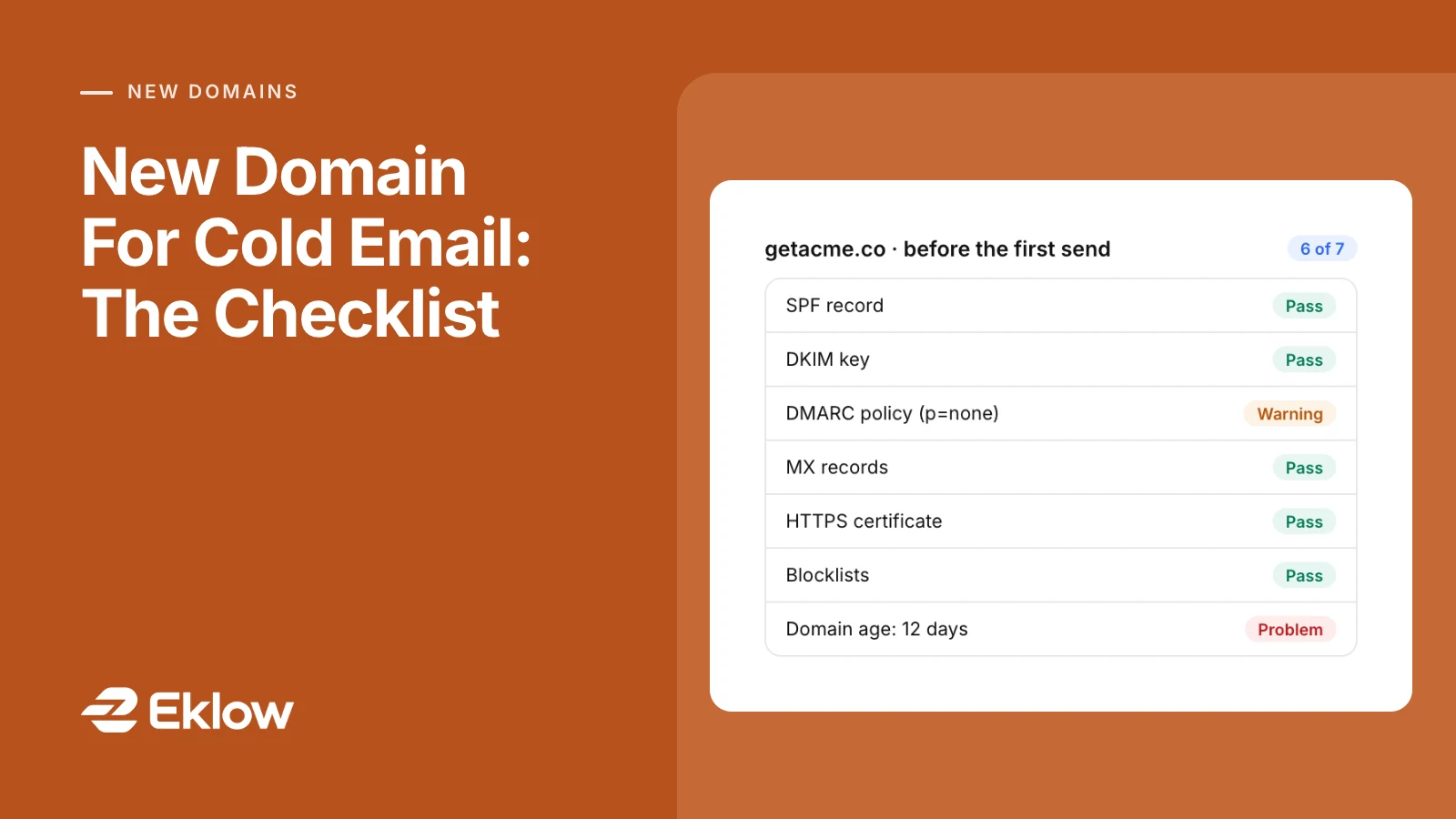
Run the new domain through the free Domain Score Checker before the first send. It reads the registration date over RDAP, checks SPF, DKIM, DMARC and MX, completes a TLS handshake with the website and queries live blocklists, then shows which checks cost points. A domain under 30 days old shows as a problem on age, with nothing to fix but time.
In Eklow, connecting a mailbox links its own domain, and free mailbox addresses cannot be connected. The domain's records are shown under Senders → Domains with the exact values to publish for your provider, and a mailbox only sends campaign mail once its domain is verified and the mailbox is warmed. Warmup sends real mail to other mailboxes and confirms it was opened before the ramp moves on.
Keep reading
- DeliverabilityEmail Spam Score: What It Measures And How To Lower ItWhat an email spam score is, how a spam filter adds up its rules against a threshold, what a good score is, and the edits that lower it, rule by rule.4 min read
- DeliverabilityEmail Throttling For Cold Email: How To Pace Sends Without BurstsEmail throttling explained for cold email: why bursts get rate limited, even spreading versus sending in batches, and why a batch limit should be a sliding window.6 min read