


Introduction
Google Workspace lets one user send 2,000 messages a day. Microsoft 365 lets one mailbox reach 10,000 recipients a day. Neither number is a cold email target, and a mailbox that tries to use either of them on strangers is usually rate limited, filtered to spam or suspended long before it gets there. The number that matters is the one your reputation can carry, and it is far lower.
Here is the short version. Treat about 50 cold emails a day as the ceiling for one fully warmed mailbox, not the starting point. A new or recently re-warmed mailbox should send much less. When you need more volume, add mailboxes (and spread them over more than one domain) instead of pushing one mailbox harder. Then check that your send spacing and sending window can actually fit the number you picked, because a short window quietly caps it.
Provider Sending Limits Are Ceilings, Not Targets
Every mailbox provider publishes hard limits. They exist to stop abuse and runaway scripts, and hitting them has real consequences:
| Provider | Published limit | What happens when you hit it |
|---|---|---|
| Google Workspace | 2,000 messages a day per user (500 for trial accounts), measured over a rolling 24 hours | The user cannot send new mail for up to 24 hours |
| Microsoft 365 (Exchange Online) | 10,000 recipients a day and 30 messages a minute per mailbox | Sending stops until the 24-hour count drops below the limit; excess per-minute submissions are throttled |
Sources: Google's Gmail sending limits in Google Workspace and Microsoft's Exchange Online limits. Microsoft adds that Exchange Online "isn't suited to accommodate bulk-mailing scenarios". Both providers can change these limits without notice.
These limits apply to everything the mailbox sends, so cold email shares them with the replies and internal mail of the person behind it. More importantly, the receiving side has its own limits, and those are not published. Gmail's 421 4.7.28 reply, "unusual rate of email", is the receiving side telling you that your pace looks wrong for your reputation, at volumes nowhere near 2,000. Our guide to email bounce codes shows what those replies look like.
What Actually Sets Your Daily Number
Five things decide how many cold emails one mailbox can send in a day. The smallest of them wins.
- Warmup stage. A mailbox with no sending history has no reputation to spend. It should start at a handful of messages a day and grow slowly. The warmup ramp schedule covers the first four weeks.
- The mailbox's daily limit. The number you decide this mailbox may send, across every campaign. This is where the "about 50" ceiling lives.
- Send spacing. The gap between two sends from the same mailbox. Human senders do not fire 50 messages in a minute, and a pace that looks scripted draws rate limits.
- The sending window. Business hours on business days, usually in the recipient's time zone. The shorter the window, the fewer spaced-out sends fit into it.
- Domain and campaign caps. A limit on how much one sending domain carries in a day, and on how much one campaign may send, so a single bad day cannot burn everything at once.
Why Send Spacing Can Cap You Before The Daily Limit Does
Spacing and the window multiply together, and people rarely do the arithmetic. If a mailbox waits on average about two minutes between sends, a nine-hour window fits a lot of them. A one-hour window does not.
The formula is simple: sends that fit = window length ÷ average gap, plus one for the send at the window's opening. With a gap that varies randomly between 75 and 180 seconds, the average is 127.5 seconds:
| Sending window | Sends that fit at a 127.5-second average gap | Binding limit at a 50/day mailbox limit |
|---|---|---|
| 08:00–17:00 (9 hours) | 255 | The 50/day limit |
| 09:00–11:00 (2 hours) | 57 | The 50/day limit, only just |
| 09:00–10:00 (1 hour) | 29 | Spacing: 29, not 50 |
That last row is the trap. Someone reads that the best time to send is "early morning", narrows the window to one hour, keeps the mailbox limit at 50, and expects 50 a day. The mailbox can only fit 29 properly spaced sends into that hour, so the campaign runs almost twice as long as planned. There are better reasons than a study to pick a window; see best time to send cold emails for why the studies disagree.
A Worked Example: How Many Mailboxes Do You Need?
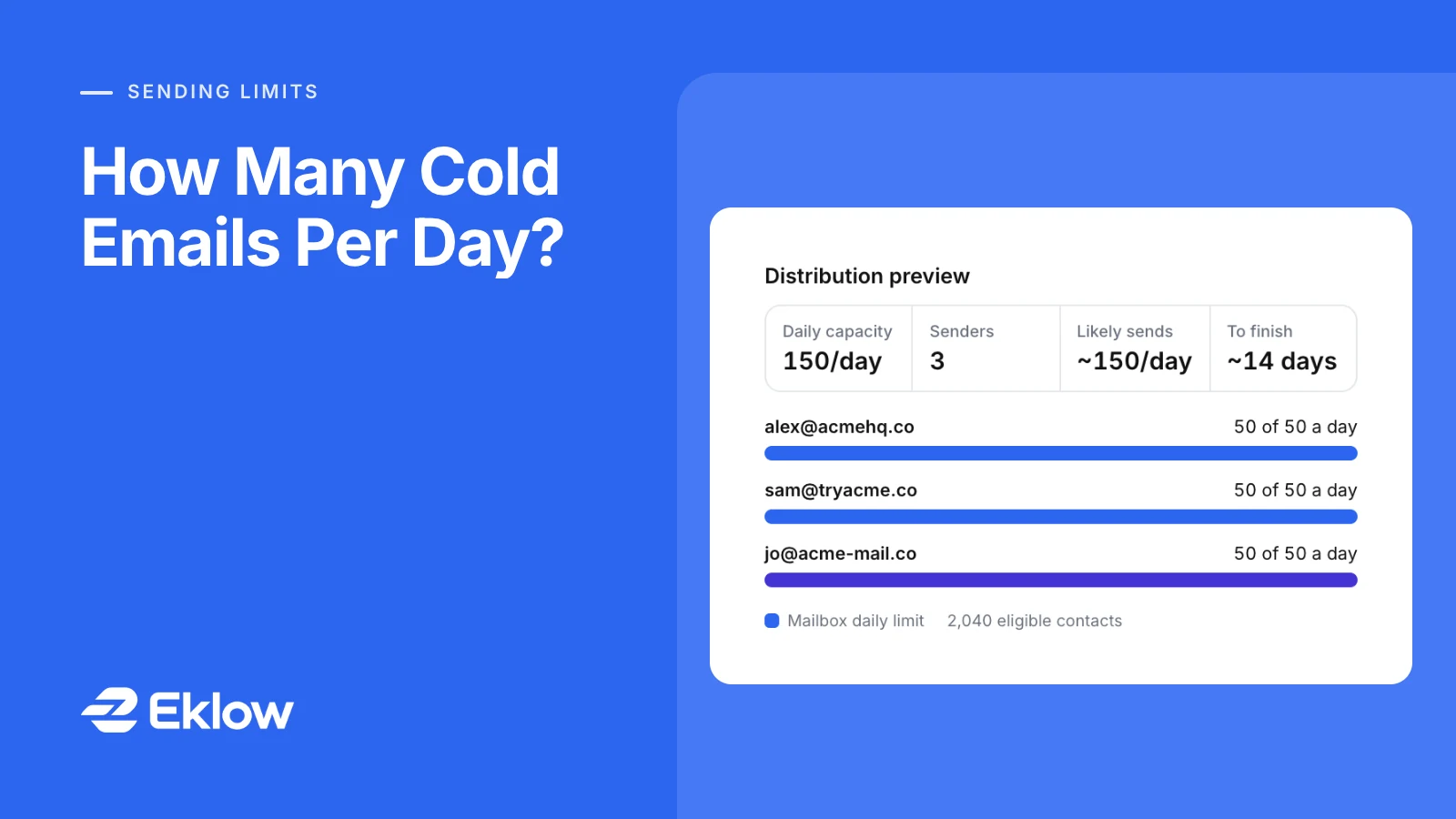
Say you have 2,040 verified contacts, a four-step sequence and a normal 08:00–17:00 weekday window. You have three warmed mailboxes, each with a 50 a day limit, on three different domains.
- Daily capacity: 3 mailboxes × 50 = 150 sends a day. Spacing is not the limit here (255 fit in nine hours).
- First touch: 2,040 ÷ 150 = 13.6, so about 14 sending days to reach everyone once.
- Follow-ups: every follow-up draws on the same daily allowance. Once step 2 starts going out, new first touches slow down, so the whole sequence takes longer than 14 days.
- More speed: a fourth mailbox adds 50 a day and brings the first pass down to 11 sending days (2,040 ÷ 200 = 10.2). Raising each mailbox to 100 a day would do the same on paper and cost you reputation in practice.
Work backwards the same way: contacts per week you want to reach ÷ sending days per week ÷ per-mailbox limit = mailboxes you need. Round up, and add mailboxes before the campaign, because a new mailbox needs weeks of warmup before it should carry cold email.
Why Not Just Send More From Each Mailbox?
- Reputation is per sender. Receiving servers judge the mailbox, the domain and the sending IP by how recipients react. More volume from one sender concentrates every complaint and every bounce on it.
- Problems surface faster at low volume per sender. If one mailbox starts getting rate-limited, a campaign spread over four mailboxes loses a quarter of its capacity, not all of it.
- Complaint limits are tight. Google's sender guidelines ask senders to keep the reported spam rate below 0.10% and never reach 0.30%. At 0.30%, three complaints in a thousand messages are already too many.
- Replies need a human. A mailbox that sends 200 cold emails a day can produce more replies than one person can answer well the same day.
Cold Email Volume Questions
How Many Emails Can A New Mailbox Send Per Day?
Very few to strangers: start with warmup traffic only, then a small number of cold emails once the ramp is well under way. A mailbox's daily cold volume should follow its warmup, never jump ahead of it.
What Is The Gmail Sending Limit Per Day?
For Google Workspace users, 2,000 messages a day over a rolling 24 hours, or 500 on a trial account, according to Google. It is a hard stop for abuse, not a guide to cold email volume.
Should All My Mailboxes Be On One Domain?
No. Reputation is also tracked per domain, so spreading mailboxes across a few domains keeps one domain's bad week from stopping everything. Authenticate every one of them with SPF, DKIM and DMARC; SPF, DKIM and DMARC explained covers the setup.
Do Weekends Count?
Only if your window includes them. Most B2B campaigns send on weekdays, so plan in sending days, not calendar days.
How Eklow Works Out Your Daily Volume
In Eklow every connected mailbox has a daily limit, 50 by default and editable from 1 to 2,000, and it is shared by every campaign the mailbox is in. A campaign can set its own cap per sender on top, and the effective cap is the smaller of the two. Each campaign also has a daily cap per sending domain and an optional daily cap for the whole campaign. Only warmed mailboxes on a verified domain are picked for campaign sends, and each mailbox waits a randomized gap between sends, set by your plan.
The campaign's Sending tab shows a distribution preview built from all of that: daily capacity, warmed senders, likely sends per day and the time to finish the audience. The capacity counts, for each mailbox, the smaller of its limit and the number of sends its spacing fits into your window, which is the arithmetic above done for you. Narrow the window to one hour and the preview drops to what the mailboxes can really send, before you launch rather than two weeks in. To spread those sends through the day, or to cap them in batches, see email throttling for cold email.
Keep reading
- DeliverabilityIs My Domain Hurting My Deliverability? A Domain Reputation Check, Signal By SignalHow to check your domain's reputation as an email sender: the public signals receivers can see, how to read each one by hand, and what to fix first when your domain is the problem.5 min read
- DeliverabilityChoosing An Outreach Email Tool: What Actually Affects Inbox PlacementComparing outreach and email marketing tools? The features that change whether mail reaches the inbox, the ones that only look good in a demo, and questions to ask before you pay.4 min read
