


Introduction
On Tuesday a prospect wrote back: "Thanks, we signed with another provider last month." On Thursday your sequence sent them step three anyway, the one that opens with "Just wanted to make sure this didn't get lost." Their next email was shorter, and it was addressed to your manager.
Here is the short answer to when to stop following up. Stop the moment a person answers in any way (yes, no, not now, or "talk to my colleague"), asks to be removed, reports you as spam, or their address bounces. If there is only silence, stop after the close-out email you planned. An out-of-office auto-reply is the one response that is not a stop: it is a pause. The rest of this guide covers each signal, the rules from Google, Yahoo and the FTC that make some of them non-negotiable, and how to set the stops up so they work without anyone watching.
The Signals That Should Stop A Follow-Up Sequence
| Signal | What It Means | What To Do |
|---|---|---|
| Positive reply | They want to talk | Stop the sequence and answer as a person |
| "Not interested" | A clear no | Stop, thank them in one line, and do not argue |
| "Not now, try in March" | A real answer with a date | Stop, and set yourself a reminder for March |
| "Talk to Dana instead" | You found the wrong person | Stop for this contact and write to Dana separately |
| Out-of-office auto-reply | They are away, not answering | Pause, then continue after they return |
| Unsubscribe or "remove me" | An opt-out | Stop everything to that address, in every campaign |
| Hard bounce | The address does not exist | Stop and remove the address |
| Spam complaint | They reported you | Stop everything to that address, and look at why |
| Silence after the close-out | The sequence has ended | Stop, and only return with a new reason |
Why Every Sequence Needs Stop On Reply
A follow-up exists to get a reply. Once the reply arrives, every further automated email is wrong by definition: it either ignores a yes, repeats a pitch after a no, or tells a "not now" that you did not read it. The prospect cannot tell an automated step from a careless person, so it costs you the conversation you were trying to start.
Stop on reply means the moment any reply from the contact is matched to your sequence, their pending follow-ups are cancelled. It has to be automatic, because the gap between a reply and the next scheduled step can be hours, and nobody checks every inbox before every send.
"Not Interested" Is A Stop, Not An Objection
Sales training sometimes treats "not interested" as an objection to overcome. In cold email it is an answer, and arguably an opt-out. Reply once with thanks, take them out of every sequence, and leave it there. "Thanks for letting me know, I won't write again" is the version most likely to be remembered kindly if their situation changes.
A Referral To A Colleague
"Dana handles this" stops the sequence for the person who wrote it. It does not enrol Dana in the same sequence from step two. Write Dana a fresh, short email that says who pointed you to them, because a follow-up that refers to an earlier email Dana never received makes no sense to them.
Opt-Outs: The Stop You Are Required To Honour
Some stop signals are about courtesy. Opt-outs are also about rules, and the rules apply to cold B2B email too.
- In the United States, the FTC's CAN-SPAM compliance guide says the law makes no exception for business-to-business email. You must honour an opt-out within 10 business days, any opt-out mechanism must keep working for at least 30 days after you send, and you cannot ask for anything beyond a reply email or a visit to a single web page.
- Gmail asks senders of more than 5,000 messages a day to its users to support one-click unsubscribe on marketing messages, and its FAQ recommends fulfilling unsubscribe requests within 48 hours (Google's sender guidelines FAQ).
- Yahoo asks bulk senders to support one-click unsubscribe and to honour unsubscribes within 2 days (Yahoo sender best practices).
- One-click unsubscribe means the List-Unsubscribe and List-Unsubscribe-Post headers defined in RFC 8058, which let the mail app show its own unsubscribe button and send the request without a landing page.
Two practical consequences. First, "please remove me" written in a reply counts, even if they did not click a link. Second, an opt-out from one campaign should stop all of them: the person asked not to hear from you, not to skip one sequence.
Spam Complaints Are A Stop With A Cost
A spam report is the opt-out you did not make easy enough. Google asks senders to keep the spam rate reported in Postmaster Tools below 0.10% and never to reach 0.30% (Google's email sender guidelines), and Yahoo uses the same 0.3% line. On a campaign of 1,000 emails, 0.3% is three people. A clear opt-out line in the body gives the irritated reader a quieter option than the spam button, which is why it belongs in a cold email even when the law would not require it.
Out-Of-Office Replies Pause A Sequence, They Do Not End It
An auto-reply is not the person answering. Treating it as a reply would drop someone who never saw your email, and treating it as nothing means your next step may land while they are still away. The right move is to pause.
Auto-replies are usually easy to recognise. RFC 3834 defines the Auto-Submitted header for automatic responses, with a value such as auto-replied, and well-behaved mail systems set it. Others add their own markers, and almost all of them use a subject line such as "Automatic reply" or "Out of office", in the reader's language. By hand, the fix is simple: note the return date in the auto-reply and push the contact's next step to a day or two after it.
When Silence Means It Is Time To Stop
If none of the signals above arrive, the sequence itself decides when to stop following up. Plan the last email as a close-out that says it is the last, send it, and then stop for real. Do not move the same contact into a new sequence the following week. Come back only with a reason that is new to them: a new role, a change in their company, or a month they named themselves. For how long the sequence should run in the first place, see our guide to sequence design.
How To Set Up Stop Rules That Work Without You
- Turn on stop on reply for every cold campaign, and make sure the tool can actually read replies from the sending mailbox.
- Keep one suppression list per sending business, and check it at send time, not only at import. An address added on Wednesday must block Thursday's step.
- Put a plain opt-out line in every email, and send the one-click unsubscribe headers on every message.
- Treat a hard bounce as permanent. Remove the address instead of trying it again in the next campaign.
- Review replies daily and act on "not now" and referrals by hand. They are stops for the sequence, not for the relationship.
- Watch your complaint rate in Google Postmaster Tools. A rise points to a list, an offer or a sequence that runs too long.
Questions About When To Stop Following Up
Should I Stop Following Up If They Open But Never Reply?
Opens alone should not change the plan, in either direction. Apple's Mail Privacy Protection can load tracking pixels without anyone reading the email, so an open is not proof of interest. Finish the sequence you planned, end with the close-out, and judge interest by replies.
How Many Follow-Ups Before You Give Up?
For a cold contact, two or three follow-ups after the first email, the last of them a close-out, is a sensible ceiling. Stop sooner if any signal in the table above arrives. Every extra email adds another chance of a spam complaint, and complaints are counted against your domain.
Does An Unsubscribe Apply To Every Campaign?
It should. The person asked you to stop emailing them, not to leave one list. Under CAN-SPAM an opt-out applies to your commercial email to that address, so keep a single suppression list that every campaign checks before each send.
When Can I Contact Someone Again After The Sequence Ends?
When you have something new to say, and never after an opt-out. If they named a time ("try in March"), that is your date. If they stayed silent, wait for a real reason, such as a new role or a change that affects them, rather than restarting the same pitch on a timer.
How Eklow Handles This
In Eklow, stop on reply is a switch on every campaign's Sending tab, and it is on by default. When a reply from a contact is matched to one of your emails, their queued and scheduled follow-ups are cancelled in every campaign that has it on, and the reply opens a conversation in your Inbox.

Eklow reads replies from your mailbox over IMAP or Microsoft Graph and checks each one for auto-replies before it counts: the RFC 3834 Auto-Submitted header, common auto-responder headers, and out-of-office subject lines in several languages. An auto-reply is recorded but does not count as a reply and does not stop the sequence. A hard bounce, an unsubscribe or a spam complaint goes further: the address is added to your suppression list and its pending sends are cancelled in every campaign, whatever the stop on reply setting. Every campaign email carries the RFC 8058 one-click unsubscribe headers, and a visible unsubscribe link in the body is a per-campaign switch. See suppression lists for how blocked addresses are kept.
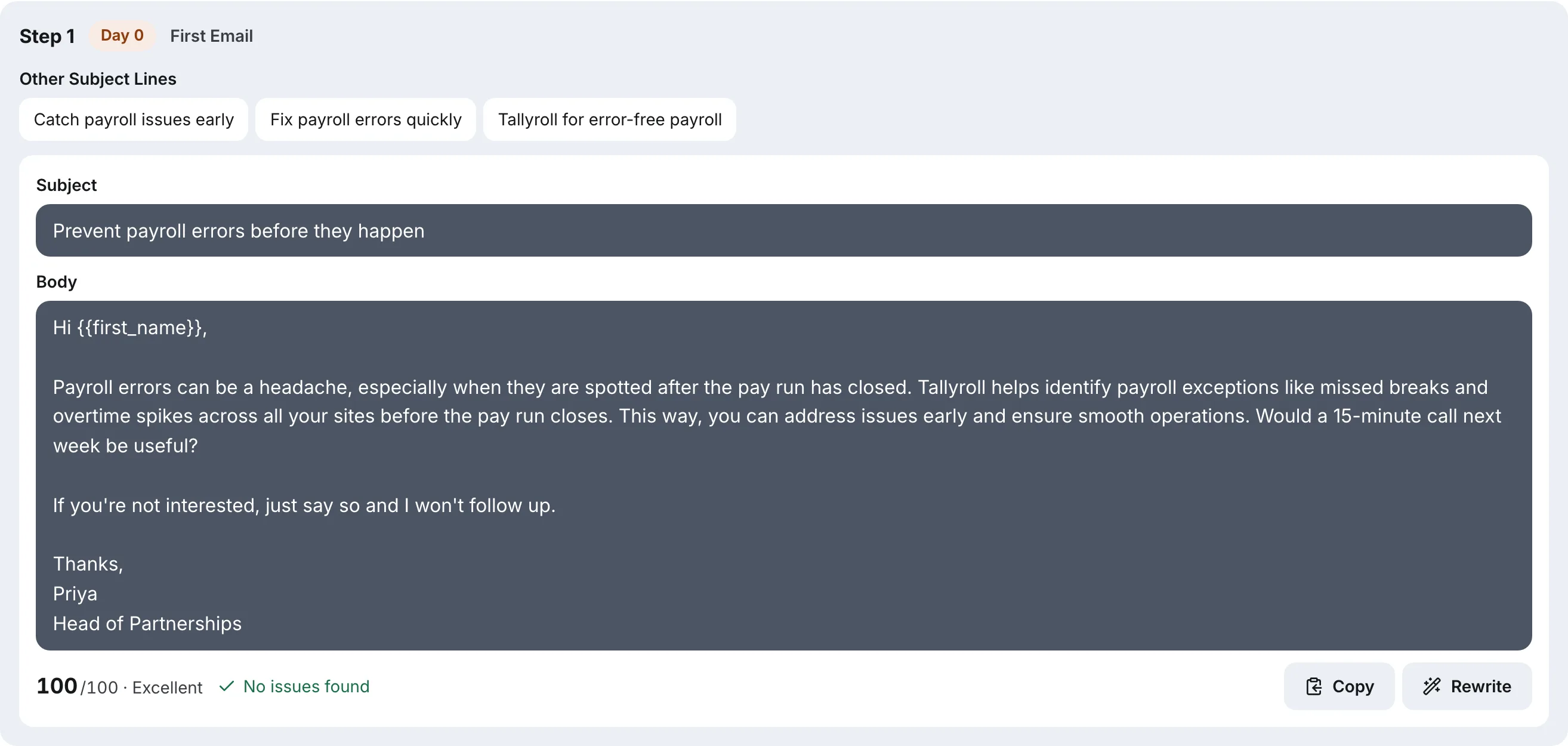
Our free cold email sequence generator writes the opt-out into the copy for you. By default every email carries a plain line such as "If you're not interested, just say so and I won't follow up", and the built-in checker warns on any email that gives the reader no way out.
Keep reading
- Cold EmailHow To Write A Cold Email A Stranger Will AnswerHow to write a cold email a stranger will actually answer: the five parts, what each line is for, a worked example, the length that works and what to cut.8 min read
- Cold EmailSales Email Signature: What To Keep For Cold OutreachA sales email signature for cold outreach should be short, mostly text and light on links. What to keep, what to cut, and why heavy signatures cost you.6 min read
