


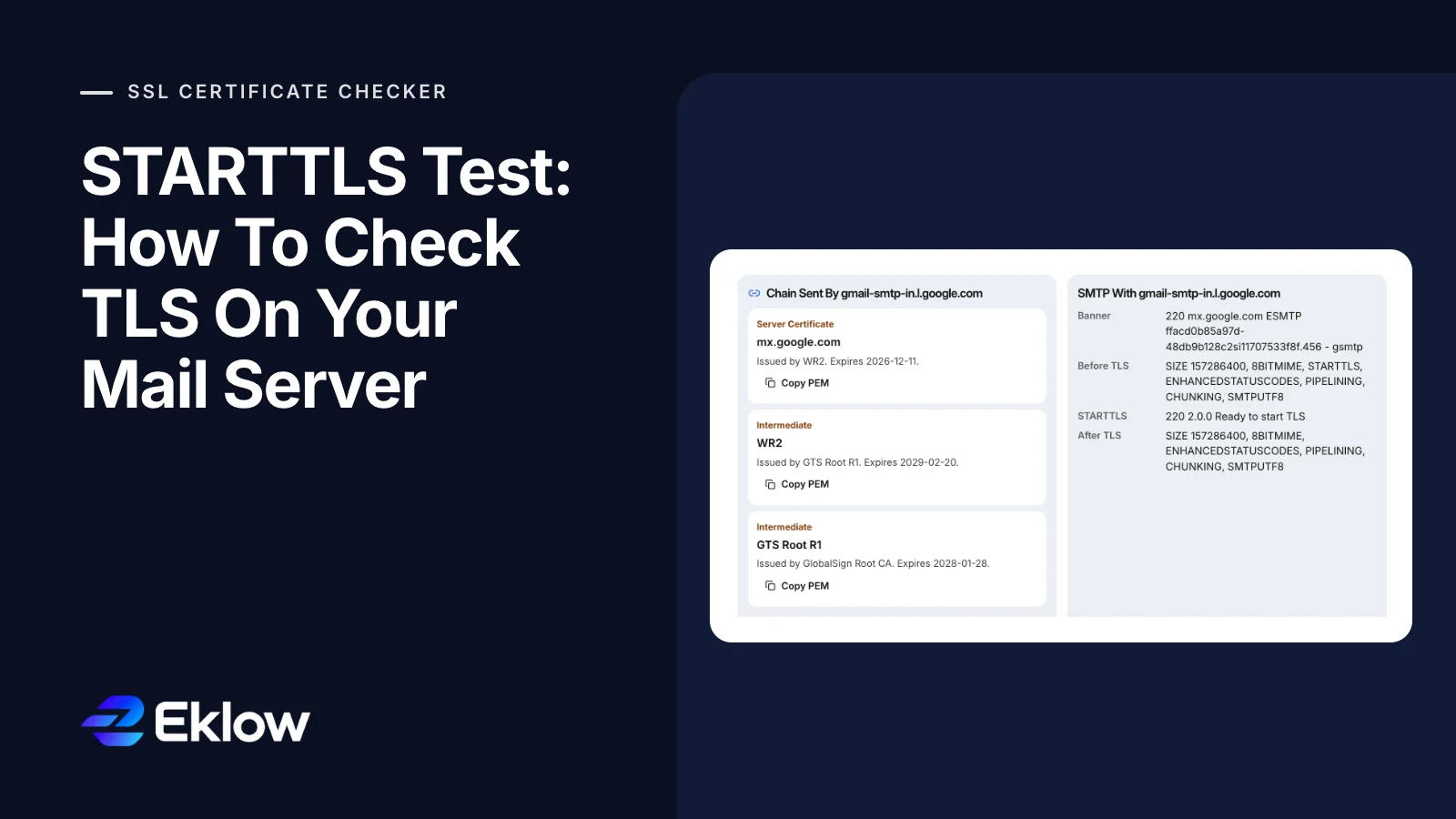
Introduction
The mail server has worked for two years. Then someone publishes an MTA-STS policy in enforce mode, and within a day a partner says your replies to them are fine but their mail to you is stuck in their queue. Nothing changed on the server. What changed is that senders started checking the certificate it had been presenting all along, and it expired in the spring.
A STARTTLS test catches this before anyone else does. It connects to your MX host on port 25 the way another mail server would, sends EHLO, checks that STARTTLS is offered, upgrades the connection, and then validates the certificate against the MX hostname. If any of those steps fails, you find out from the test instead of from a bounce, a stuck queue or a TLS report.
What A STARTTLS Test Checks
STARTTLS is defined in RFC 3207. The conversation always starts in plain text and upgrades in place, so a complete test walks through every step a sending server takes:
- Look up the domain's MX records. Every host listed is a place mail can land, so every one needs testing, not just the lowest preference.
- Open a TCP connection to port 25 and read the
220greeting banner. - Send
EHLOand look forSTARTTLSin the list of extensions the server advertises. - Send
STARTTLSand expect220 Ready to start TLS. RFC 3207 also allows454 TLS not available due to temporary reasonand501 Syntax error. - Complete the TLS handshake and record the protocol version and cipher.
- Validate the certificate: unexpired, chaining to a trusted root, and naming the MX host you connected to.
- Send
EHLOagain. RFC 3207 says both sides must discard what they learned before TLS, so the extension list after the upgrade is the one that counts.
Step 6 is where most checks fall short. A test that only confirms STARTTLS is advertised will pass a server whose certificate expired months ago, because the upgrade itself still succeeds.
Run A STARTTLS Test With OpenSSL
A manual STARTTLS test takes two commands. The first shows the plain-text side, which telnet or netcat can do. This is Gmail's primary MX on 11 October 2026, with our own address in the greeting replaced:
$ nc gmail-smtp-in.l.google.com 25
220 mx.google.com ESMTP ffacd0b85a97d-48db9ac333fsi11001007f8f.168 - gsmtp
EHLO probe.example.com
250-mx.google.com at your service, [203.0.113.7]
250-SIZE 157286400
250-8BITMIME
250-STARTTLS
250-ENHANCEDSTATUSCODES
250-PIPELINING
250-CHUNKING
250 SMTPUTF8
250-STARTTLS is in the list, so the upgrade is offered. Telnet and netcat cannot go further, because they cannot speak TLS. OpenSSL can, and it sends EHLO and STARTTLS for you:
$ openssl s_client -brief -starttls smtp \
    -connect gmail-smtp-in.l.google.com:25 \
    -servername gmail-smtp-in.l.google.com \
    -verify_hostname gmail-smtp-in.l.google.com \
    -verify_return_error
CONNECTION ESTABLISHED
Protocol version: TLSv1.3
Ciphersuite: TLS_AES_256_GCM_SHA384
Peer certificate: CN=mx.google.com
Verification: OK
Three flags matter. -verify_hostname makes OpenSSL check that the certificate names the MX host, which it does not do by default. -verify_return_error makes it stop on a failed check instead of printing a warning and carrying on. -servername sends SNI, so a server that hosts several names returns the right certificate. Notice that the certificate's common name is mx.google.com and verification still passes: the MX name is in its list of Subject Alternative Names, which is what clients actually check.
How To Read STARTTLS Test Results
Each failure points to a different fix. The second column is what a sending server usually does with the result.
| What you see | What a sender does | Fix |
|---|---|---|
| No STARTTLS in the EHLO list | Delivers in plain text, or refuses under MTA-STS enforce | Enable TLS in the mail server and give it a certificate and key |
454 TLS not available | Falls back to plain text or retries later (RFC 3207 leaves the choice to the sender) | Check the certificate and key paths and their file permissions, then the server's TLS log |
| Handshake fails | Most senders retry the delivery without TLS | Turn on TLS 1.2 and 1.3; RFC 8996 deprecates 1.0 and 1.1 |
| Certificate expired | Ignored by opportunistic senders, refused under MTA-STS enforce | Renew, and point the mail server at the renewed file; it often reads a different path from the web server |
| Name does not match the MX host | Same as an expired certificate | Reissue with every MX hostname in the names, or point MX at a name the certificate covers |
| Self-signed or incomplete chain | Same as an expired certificate | Use a publicly trusted CA and serve the full chain |
The pattern in that column is the important part. Without a policy, almost every failure is silent, because senders prefer plain text to no delivery at all. That is why a broken certificate on an MX host can sit unnoticed for months.
Port 25 Vs 587 Vs 465
STARTTLS shows up on more than one port, and the rules differ by port. A STARTTLS test on the wrong one answers a different question.
| Port | Used for | TLS |
|---|---|---|
| 25 | Server to server delivery, the port your MX hosts listen on | STARTTLS, and RFC 3207 says a public MX must not require it |
| 587 | Submission: your mail client or sending tool hands mail to its own server | STARTTLS, normally required before login |
| 465 | Submission with TLS from the first byte | Implicit TLS, which RFC 8314 prefers to STARTTLS for submission |
So a passing test on 587 says nothing about whether other servers can reach you securely on 25. To test 465, drop -starttls smtp and connect with plain openssl s_client, because there is no upgrade step.
Why STARTTLS Alone Is Not Enough: MTA-STS And TLS-RPT
STARTTLS is opportunistic. Anyone who can tamper with the connection can delete 250-STARTTLS from the EHLO reply, and the sender will happily deliver in plain text. RFC 8461, MTA-STS, closes that gap by letting a domain publish a policy that says its MX hosts support TLS with valid certificates. A sender that honours MTA-STS then checks two things: that the MX host matches one of the policy's mx patterns, and that it offers STARTTLS with a certificate valid for that host. In enforce mode, the RFC says senders must not deliver to a host that fails either check.
Gmail's own setup is a good reference. The TXT record carries the policy id, and the policy file lists every MX it publishes:
_mta-sts.gmail.com.   TXT  "v=STSv1; id=20190429T010101;"

https://mta-sts.gmail.com/.well-known/mta-sts.txt
version: STSv1
mode: enforce
mx: smtp.google.com
mx: gmail-smtp-in.l.google.com
mx: *.gmail-smtp-in.l.google.com
max_age: 86400

_smtp._tls.gmail.com. TXT  "v=TLSRPTv1;rua=mailto:[email protected]"
The wildcard covers alt1 to alt4, because an MTA-STS wildcard matches exactly one left-most label. The policy file has rules of its own: it must be served over HTTPS from mta-sts. plus your domain, with a valid certificate for that name, and senders must not follow redirects. max_age is in seconds and may not exceed 31,557,600, about a year.
RFC 8460, TLS-RPT, is the feedback loop. Publish an _smtp._tls TXT record with a rua address, and senders that support it send daily reports on TLS failures they hit while delivering to you. The result types read like the table above: starttls-not-supported, certificate-expired, certificate-host-mismatch, certificate-not-trusted and validation-failure, among others.
The safe order is: pass a STARTTLS test on every MX host, publish TLS-RPT, publish MTA-STS in testing mode, read the reports for a couple of weeks, and only then switch to enforce. In testing mode, senders report failures but still deliver, so a mistake costs you a report, not your inbound mail.
STARTTLS Test Questions
Can I Test STARTTLS With Telnet?
Only halfway. Telnet can connect to port 25, send EHLO and show whether STARTTLS is advertised, and it will even get the 220 Ready reply if you type STARTTLS. It cannot complete the TLS handshake that follows, so it never sees the certificate. Use openssl s_client with -starttls smtp to test the upgrade and the certificate together.
Does Gmail Require TLS For Incoming Mail?
Google's email sender guidelines ask every sender to use a TLS connection for transmitting email. That applies to mail you send to Gmail, which your provider's servers handle. For mail you receive, your own MX hosts decide, which is why your domain's STARTTLS setup is worth testing separately.
What Does 454 TLS Not Available Mean?
It means the server advertised STARTTLS but could not start TLS when asked. RFC 3207 defines it as a temporary condition. In practice it is usually a mail server that cannot read its certificate or private key, for example after a renewal changed file paths or permissions. The sender then decides whether to deliver without TLS, retry or give up.
Is STARTTLS Secure Without MTA-STS?
It protects against passive eavesdropping, which is worth having. It does not protect against an attacker who can change the connection, because the STARTTLS offer itself travels in plain text and can be removed, and most senders do not reject a bad certificate. MTA-STS in enforce mode, or DANE on a DNSSEC-signed domain, is what makes senders insist on a valid TLS connection.
How Eklow Handles This
The free SSL certificate checker runs this whole test for you. Choose Mail Domain, enter the domain, and it looks up every MX host and holds the full SMTP conversation with each: the banner, the extensions before TLS, the reply to STARTTLS and the extensions after it. The certificate is then checked against the MX name, with the chain the server actually sent. Mail Server mode tests one host on port 25, 587, 465 or 993.
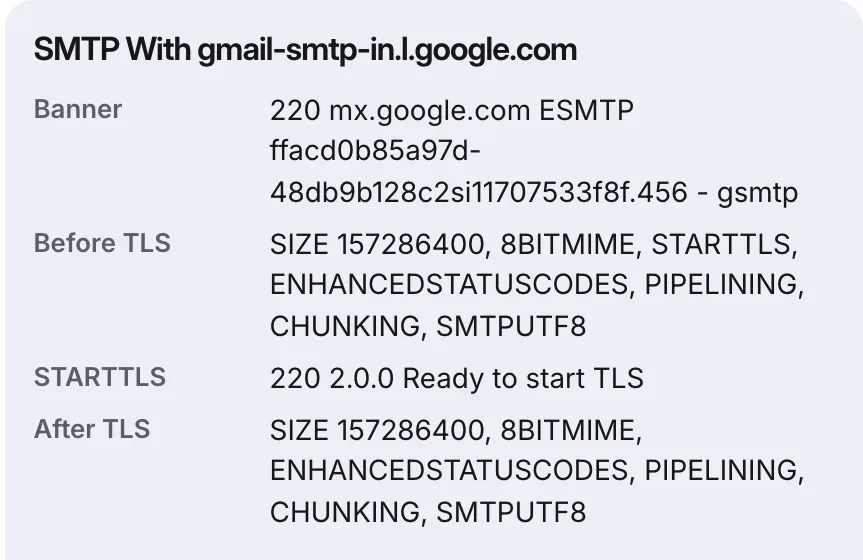
In the same run it reads your MTA-STS record and fetches the policy file the way a sending server would. A policy that redirects, is served with the wrong content type or sits behind an invalid certificate is reported as unusable, and any MX host the policy does not cover is named. It also reads the TLS-RPT record and, where TLSA records exist, compares them with the certificate the server presented.

Inside Eklow, the outgoing side is encrypted on every connection a campaign makes. Google mailboxes send through smtp.gmail.com on port 465 with TLS from the first byte; Microsoft 365 and Amazon SES mailboxes use port 587 and refuse to continue without STARTTLS. A custom SMTP mailbox uses implicit TLS on 465, and on other ports upgrades with STARTTLS whenever the server offers it. Before a custom SMTP mailbox is saved, Eklow runs a real connection and login against it, so a server with a certificate problem is caught at connect, with the server's own error, rather than on launch day. The connect a mailbox guide covers each provider, and why cold email lands in spam covers the DNS records that sit beside TLS.
Keep reading
- DeliverabilityIs My Domain Hurting My Deliverability? A Domain Reputation Check, Signal By SignalHow to check your domain's reputation as an email sender: the public signals receivers can see, how to read each one by hand, and what to fix first when your domain is the problem.5 min read
- DeliverabilityChoosing An Outreach Email Tool: What Actually Affects Inbox PlacementComparing outreach and email marketing tools? The features that change whether mail reaches the inbox, the ones that only look good in a demo, and questions to ask before you pay.4 min read
