


Introduction
Your campaign goes out at 09:00 sharp, and the replies tell a strange story. London answers within the hour. New York is quiet until mid-morning. The list you bought for India barely replies at all, and when you check the logs you see why: every one of those emails reached Bengaluru at 18:30, as people were leaving the office.
To send email in the recipient's time zone, you need three things: a named time zone stored on every contact (such as America/New_York, not "EST"), a send window written in local time ("Monday to Friday, 08:00 to 11:00"), and a scheduler that works out each contact's send moment from their own zone. Contacts with no zone need a fallback you choose on purpose. This guide covers each part, the data mistakes that quietly break it, and what to do when one campaign spans several continents.
Why The Recipient's Time Zone Beats One Send Time
A single send time is a single instant. Every recipient experiences that instant at a different local hour, and the spread changes when clocks change. Here is one 09:00 New York send, before and after the clocks went back in autumn 2026:
| 09:00 In New York On | London | Kolkata | Sydney |
|---|---|---|---|
| Tuesday 13 October 2026 | 14:00 Tuesday | 18:30 Tuesday | 00:00 Wednesday |
| Tuesday 3 November 2026 | 14:00 Tuesday | 19:30 Tuesday | 01:00 Wednesday |
Only New York gets a morning email. London gets an afternoon one, Kolkata gets one after work and Sydney gets one in the middle of the night. Notice that Kolkata moved by an hour between the two dates even though India does not change its clocks: New York did. A scheduler that thinks in the recipient's time zone avoids both problems at once.
Store Named IANA Time Zones, Not Abbreviations
The IANA time zone database is the shared record of every region's offsets and clock-change rules, past and future. Its names follow an Area/Location pattern, such as Europe/Berlin or Asia/Kolkata, and operating systems, browsers and programming languages all read them. A named zone carries its daylight saving rules with it, so 08:00 in America/Chicago stays 08:00 in July and in January.
Abbreviations and raw offsets do not. They look tidy in a spreadsheet and cause most time zone bugs in email scheduling:
- EST is a fixed UTC−5 in most software. Stored as is, it is an hour off for New York from March to November, when New York is on EDT (UTC−4).
- IST means India Standard Time, Irish Standard Time or Israel Standard Time. Three continents, one label.
- CST is US Central time to one person and China Standard Time to another.
- UTC−5 is a number, not a place. It never moves with daylight saving, so it is right for half the year at best.
If your list already has abbreviations, map them once before importing. The North American ones (ET, EST, EDT and the Central, Mountain and Pacific equivalents) are safe to read as the matching US zone. Ambiguous ones such as IST, BST or AST need a human decision per row, usually from the contact's country.
email,first_name,company,timezone
[email protected],Ana,Example Freight,America/Chicago
[email protected],Ravi,Example Analytics,Asia/Kolkata
[email protected],Siobhan,Example Health,Europe/Dublin
[email protected],Noa,Example Robotics,Asia/Jerusalem
Where To Find A Contact's Time Zone
The best source is wherever the person actually works, and the sources you have are only proxies for it. Use them in this order:
- A location field on the person in your CRM or data provider, if it names a city.
- The office they work from, if the company lists several and you know which is theirs.
- The company's headquarters city, which is right for most staff at small companies and often wrong for remote ones.
- Their country, which settles it only for single-zone countries such as Germany, India or Japan. The US, Canada, Mexico, Brazil, Australia, Russia and Indonesia span several zones, so a country alone is not enough there.
A phone number's country code tells you the country, with the same multi-zone caveat. A country-code domain such as .de says where the company registered, not where the reader sits. Treat both as hints.
What To Do With Contacts Who Have No Time Zone
Every scheduler needs an answer for a blank zone, and the worst answer is one nobody chose. Decide it per campaign: set the campaign's own time zone to wherever most of the blank contacts are likely to be, or move them into a separate campaign with a wider window. A list of US prospects with blank zones does well on America/Chicago, which is never more than two hours from any zone in the contiguous US. Leaving them on UTC sends a US list its email in the small hours.
Sending To Several Time Zones From One Campaign
When a list spans continents there are three ways to schedule it, and they suit different situations:
| Approach | How It Works | Use It When |
|---|---|---|
| Each contact's own time | One window, such as 08:00 to 11:00, applied in every contact's zone | Every contact has a reliable time zone |
| One shared window | Only the hours when every place is working, in one zone | Your tool cannot schedule per contact |
| One moment for everyone | A single send instant that hits as many places as possible in good hours | A one-off announcement that must go at once |
The shared window often does not exist. New York, London and Kolkata have no working hour in common, because when it is 09:00 in New York it is already evening in India. That is the case for per-contact scheduling: it is the only one of the three that gives every region its own morning.
Questions About Recipient Time Zones
Is EST The Same As Eastern Time?
No. Eastern Time is the zone, America/New_York, which uses EST (UTC−5) in winter and EDT (UTC−4) in summer. EST on its own is the winter offset only. A schedule saved as EST is an hour off for most of the year unless the software reads it as the Eastern zone.
What Is An IANA Time Zone?
It is a named entry in the IANA time zone database, such as Europe/Paris or America/Denver, that records a region's offset from UTC and every clock change it has made or will make. Software uses these names to convert times correctly on any date, including across daylight saving changes.
Does The Recipient See My Time Zone?
The Date header of every email carries the sender's UTC offset, as RFC 5322 section 3.3 requires. Mail apps normally convert it and show the arrival time in the reader's own zone. Someone who opens the raw headers can see your offset, but not a city.
Which Time Zone Should I Use If I Don't Know Where A Contact Is?
Use the zone where most of that segment is likely to work, and keep the window a little wider so an hour's error still lands in working hours. If the segment is split between continents, put the unknowns in their own campaign rather than letting them inherit a zone that suits nobody.
How Eklow Handles This
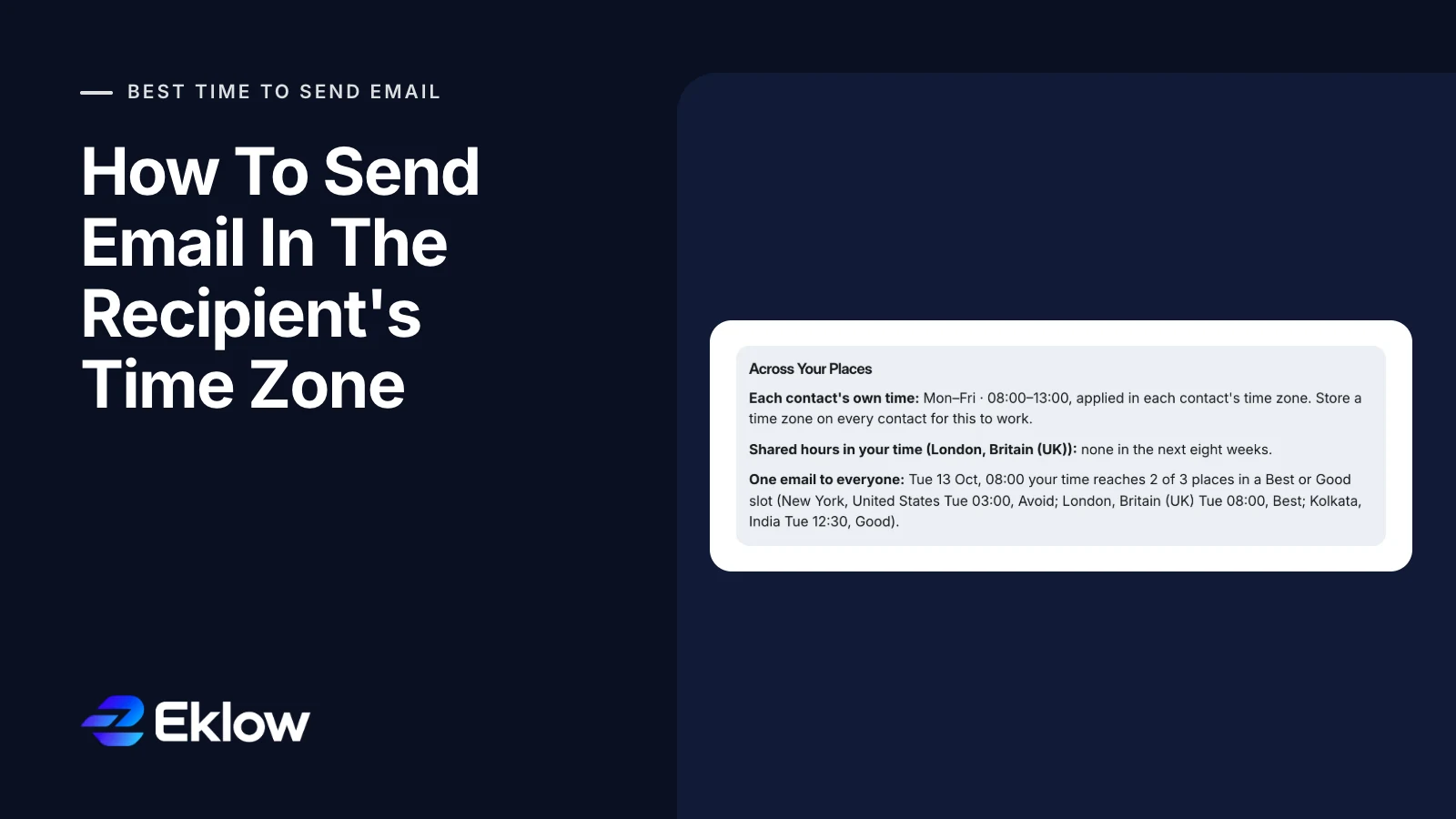
Our free best time to send email calculator takes several places at once and shows all three approaches side by side. For New York, London and Kolkata it finds one window that works in each contact's own time, reports that the three share no working hours, and shows how one single send would land in each place.

In an Eklow campaign, the sending days and hours apply in each contact's own time zone when the contact has one. A contact without one uses the campaign's time zone, and a campaign without one uses UTC, so set the campaign zone to suit your blank contacts.

Contact imports read time zones the way this guide recommends. An IANA name or a city such as London is stored as the named zone. The North American abbreviations are read as their zone with daylight saving included, so EST becomes America/New_York rather than a fixed UTC−5. An ambiguous label such as IST is refused with the row numbers and a request for an IANA zone or a city, so it never turns into a guess. The CSV import guide lists the column mapping, and how scheduling windows work covers the campaign side.
A good local send time only helps mail that reaches the inbox, so if one region stays quiet after the move, run an inbox placement test for the providers that region uses.
Keep reading
- Cold EmailHow To Write A Cold Email A Stranger Will AnswerHow to write a cold email a stranger will actually answer: the five parts, what each line is for, a worked example, the length that works and what to cut.8 min read
- Cold EmailSales Email Signature: What To Keep For Cold OutreachA sales email signature for cold outreach should be short, mostly text and light on links. What to keep, what to cut, and why heavy signatures cost you.6 min read
