


Introduction
A third of your prospect list ends in info@, hello@ or sales@. They all verified as deliverable, so you sent to them. Three weeks later: no replies from any of them, two automated "your ticket has been received" responses, one angry note from an office manager asking how you got the address, and a complaint rate on that campaign twice the one on your named contacts.
A role-based email address belongs to a function or team rather than one person: info@, sales@, support@, admin@, hello@, office@, jobs@ and so on. They are usually real mailboxes that accept mail, which is why verification passes them. The trouble is who reads them: often several people, a helpdesk rule or nobody, and rarely the decision-maker you meant to reach. For cold outreach that means few replies and more complaints. Keep role addresses for mail people asked for, and find a named contact for everything else.
What Counts As A Role-Based Email Address
Some role addresses are defined by standards. RFC 2142 lists mailbox names organisations are expected to support for common functions, such as postmaster@, abuse@, hostmaster@ and webmaster@, and business conventions added many more.
| Type | Examples | Who Usually Reads It |
|---|---|---|
| General contact | info@, hello@, contact@, office@, enquiries@ | Reception, an admin, or a shared inbox |
| Departments | sales@, marketing@, finance@, hr@, legal@, press@ | A team, sometimes through a ticket queue |
| Support | support@, help@, feedback@ | A helpdesk system that opens a ticket |
| Technical | postmaster@, abuse@, hostmaster@, webmaster@, admin@ | IT or nobody; abuse@ handles spam reports |
| No reply | noreply@, no-reply@ | Nobody, by design |
| Hiring | jobs@, careers@ | Recruiters, about applications |
Why Role Addresses Hurt Cold Email
Nobody Owns The Decision
A cold email works when it reaches the person who has the problem you solve. A shared inbox reaches whoever is on rota. The best outcome is a forward to the right person, which happens far less often than senders hope. The usual outcome is deletion, because the reader has no stake in it.
More People Can Complain
A message to a shared inbox is seen by several people, and any of them can mark it as spam. None of them signed up for it. Complaints are the metric mailbox providers watch most closely: Google's email sender guidelines ask bulk senders to keep the reported spam rate below 0.10% and never reach 0.30%. An address like abuse@ exists precisely to receive reports about unwanted mail.
Filters And Helpdesks Get There First
Role inboxes often sit behind ticketing systems or stricter filtering, because they are published on websites and attract a lot of unwanted mail. Your email may become ticket #48213 with an automated acknowledgement, which looks like a reply in your reports and is not one. Sequences that stop on reply can then stop for the wrong reason, or carry on into a helpdesk.
Harder To Justify
Cold outreach is easiest to defend when you are writing to a specific person about something relevant to their role. A generic inbox makes that case weaker, and some data-protection and marketing rules treat business contacts differently depending on the country and whether the recipient is an individual. This is not legal advice; if you send to European or UK contacts, check the rules that apply to you.
When Role Addresses Are Fine
- Someone subscribed with it. If hello@ signed up for your newsletter, it opted in; send as normal.
- Transactional mail. Invoices to billing@ and notices to admin@ are expected and wanted.
- The company asks for it. A partner programme that says "contact partners@" means it.
- Very small companies. At a three-person business, hello@ may well be read by the founder. Even then, a named address is better if you can find it.
What To Do Instead
- Flag role addresses when you import. Separate them from named contacts rather than deleting them.
- Look for the person. The company website, a team page or a professional profile usually names who owns the area you are writing about.
- Write to the person, not the inbox. A named address on the same domain is a different conversation.
- If you must use a role inbox, ask for routing. One short note asking who handles X, sent once, with no sequence behind it.
- Never put abuse@, postmaster@ or noreply@ in outreach. The first two exist to handle problems; the last cannot answer.
Subject: Who looks after payroll?

Hi,

I'd like to send a short note to whoever looks after payroll at
Harbor Kitchens. Could you point me to the right person? A name
is all I need.

Thanks,
Priya
Questions About Role-Based Addresses
Are Role-Based Email Addresses Valid?
Usually, yes. Most are real mailboxes that accept mail, so they pass verification. "Valid" only means mail can be delivered. For cold outreach the question is who reads it and whether they can act on it, which is why a verifier marks role addresses risky rather than invalid.
Should I Remove Role Addresses From My List?
From cold outreach lists, set them aside rather than sending to them. From opt-in lists, keep them: someone chose to subscribe with that address. The difference is consent and expectation, not the address format.
Is A Hello Inbox A Role Address?
Yes. It names a function, general contact, rather than a person. At very small companies it may be read by the founder, but you cannot tell from the address, and at larger ones it is usually a shared inbox like info@.
What About First-Name-Only Addresses?
Those are personal addresses, even though they only contain a first name. They belong to one person and are fine for relevant outreach. A role address is defined by naming a function, such as sales, support or info, not by its format.
How Eklow Handles This
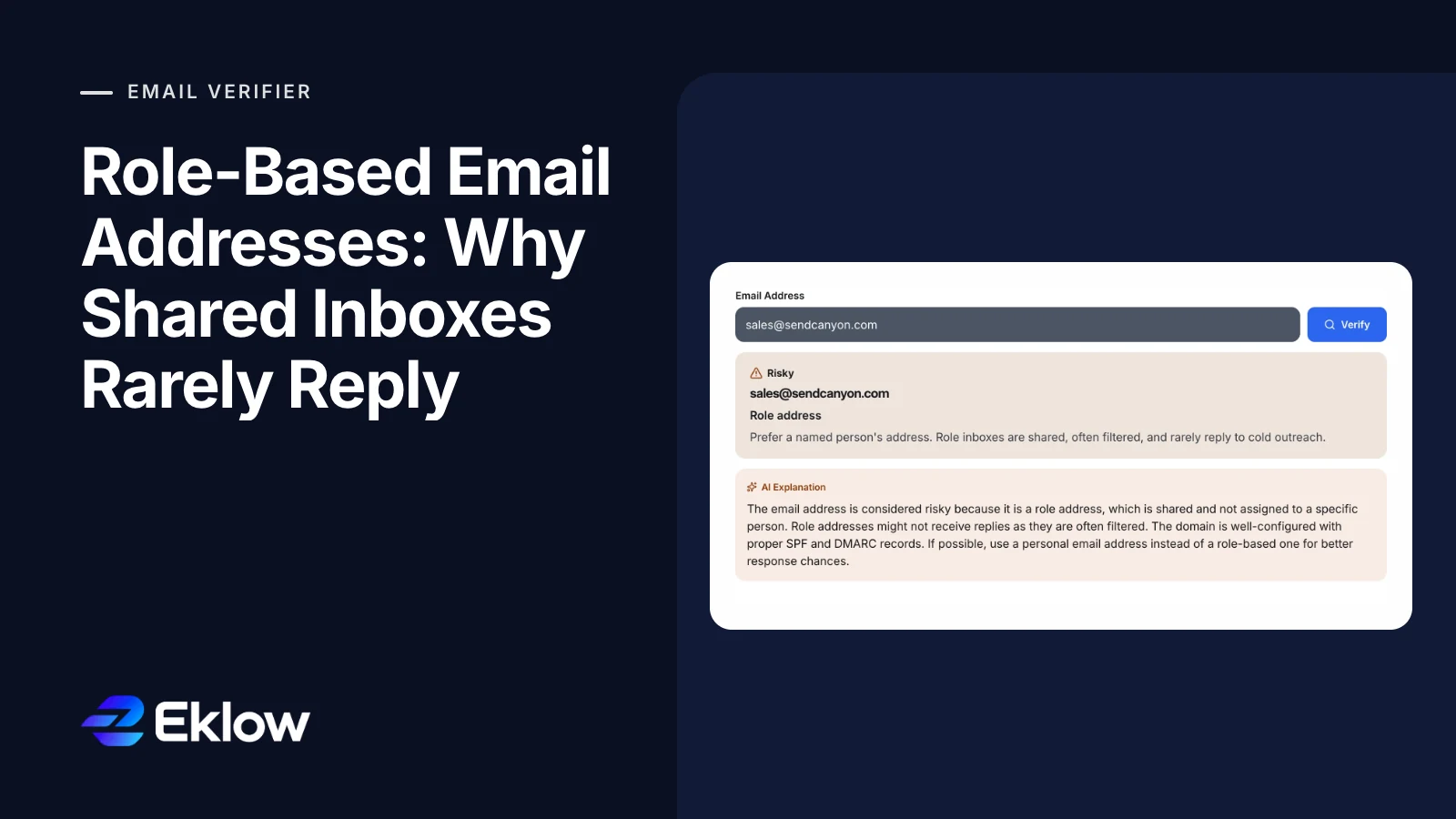
Our free email verifier checks the part before the @ against a list of common role names, including info, hello, sales, support, admin, office, marketing, finance, hr, jobs, press, postmaster, abuse, webmaster and noreply. A match on a domain that accepts mail is marked risky with the reason "Role address" and a next step to prefer a named person's address. The verifier never sends anything to the address.

Inside Eklow, email verification checks every import and new contact the same way, and risky contacts, role addresses included, are held out of campaigns until you choose to include them for that campaign. Our guide on why cold email lands in spam covers the rest of the list and sender side.
Keep reading
- DeliverabilityIs My Domain Hurting My Deliverability? A Domain Reputation Check, Signal By SignalHow to check your domain's reputation as an email sender: the public signals receivers can see, how to read each one by hand, and what to fix first when your domain is the problem.5 min read
- DeliverabilityChoosing An Outreach Email Tool: What Actually Affects Inbox PlacementComparing outreach and email marketing tools? The features that change whether mail reaches the inbox, the ones that only look good in a demo, and questions to ask before you pay.4 min read
