


Introduction
The newsletter looked tidy in the editor's desktop view. On a customer's Android phone, the first paragraph ran off the right edge of the screen, the footer's unsubscribe link was cut in half, and the button was a small target squeezed into the corner. The email was fine. It was just 600 pixels wide, and the screen was 360.
A mobile friendly email fits the narrowest common phone without sideways scrolling, sets body text at a size people can read without zooming, and gives every link and button a target big enough for a thumb. In numbers: build a single column that is fluid up to a 600 px maximum and still works at 320 CSS pixels, use body text of at least 16 px, and make buttons at least 44 by 44 pixels. The rest of this post explains where each number comes from and how to build to it by hand.
How Wide A Phone Screen Really Is For Email
Phones describe their screens in physical pixels, but email is laid out in CSS pixels, and a modern phone packs two or three physical pixels into each one. Divide the physical width by that scale factor and you get the width your email actually has. Apple's iPhone 17 tech specs list a 1206 pixel wide display at 3x, which is 402 CSS pixels.
| Phone | Width for email (CSS px) |
|---|---|
| Samsung Galaxy S24 | 360 |
| iPhone SE (3rd generation) | 375 |
| iPhone 17e | 390 |
| iPhone 17 and 17 Pro | 402 |
| Google Pixel 8 | 412 |
| iPhone Air | 420 |
| iPhone 17 Pro Max | 440 |
The iPhone figures come from Apple's specifications. The two Android figures are the default display size used by Chrome's device emulation. Android readers can change the Display size setting, which makes the layout width narrower or wider, so treat Android widths as a starting point rather than a fixed number. The mail app's own margins take a little more off every one of them.
For a floor, use the one in the accessibility standard. WCAG 2.2 success criterion 1.4.10 asks that content can be read without scrolling in two directions at a width equivalent to 320 CSS pixels. A mobile friendly email that works at 320 works on every phone in the table, and on a larger phone with the text size turned up.
Why A 600 Pixel Email Breaks On A Phone
Most HTML email is built in a table with a fixed width of 600 pixels, a convention from desktop mail. On a 360 px screen that table is 240 pixels too wide. Depending on the app, the reader then gets one of two bad results: the whole email is shrunk to fit, which turns 16 px body text into something closer to 10, or the layout keeps its width and the right-hand side is cut off or needs sideways scrolling.
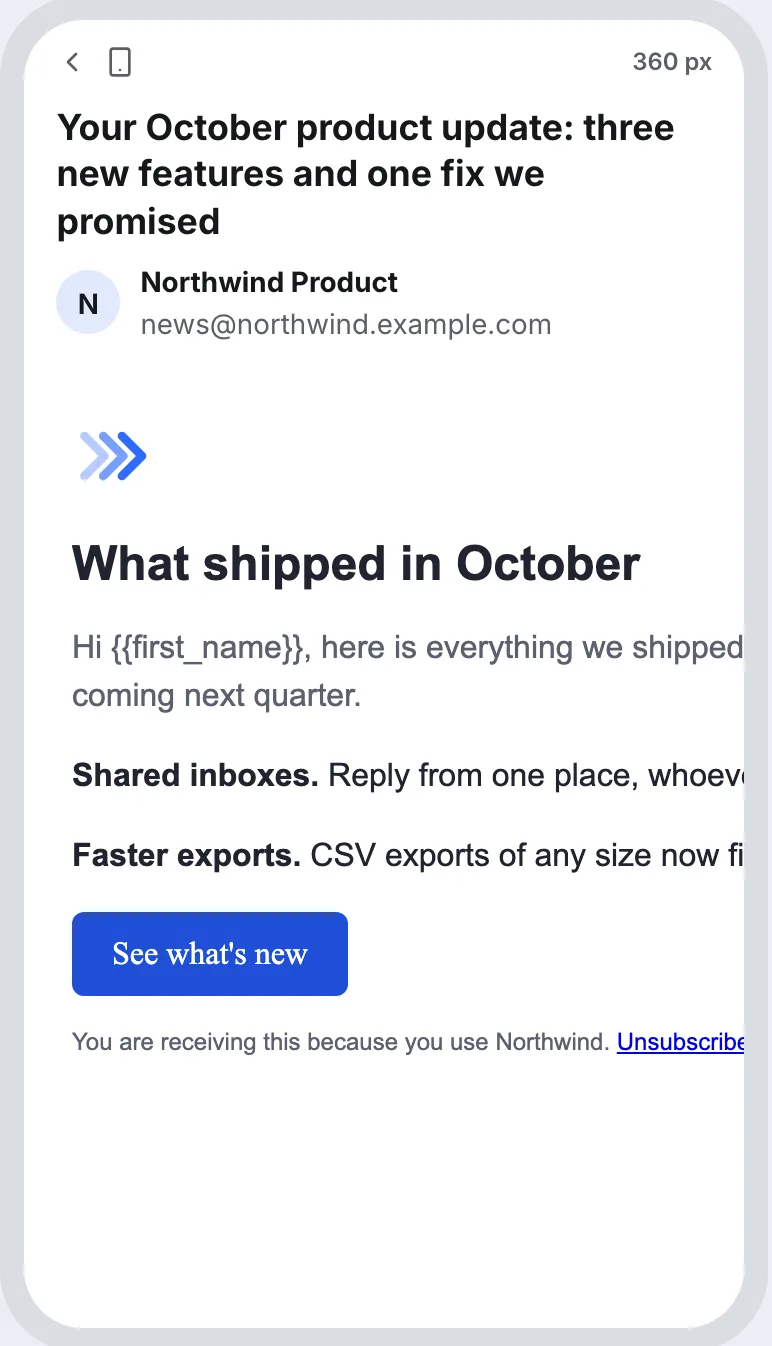
The fix, and the core of every mobile friendly email, is to keep 600 as a maximum, not a width. Let the container take the full width of the screen until it reaches 600 pixels, and never give anything inside it a fixed pixel width larger than the narrowest screen:
<table role="presentation" width="100%" cellpadding="0" cellspacing="0"
       style="max-width:600px; margin:0 auto;">
  <tr>
    <td style="padding:24px 16px;">
      <img src="https://example.com/hero.png" width="568" alt="Spring range: six new colours"
           style="display:block; width:100%; max-width:568px; height:auto;">
      ...
    </td>
  </tr>
</table>
Images need the same treatment: keep the width attribute for apps that read it, then let CSS bring the image down with width:100% and height:auto. A two-column layout should be written so the columns stack when there is no room, which on a phone means one column.
Why Media Queries Alone Are Not Enough
The common responsive trick is a <style> block with a media query that switches the layout under a certain width. It works in many apps, but the caniemail data on the style element records that the Gmail apps ignore <style> placed inside <body>, and do not support it at all for non-Gmail accounts read in the Gmail app. In those cases only your inline styles apply. Build the fluid version inline first, and use media queries only to refine it.
What Font Size To Use In A Mobile Friendly Email
Apple's typography guidelines give 17 points as the default text size on iPhone and 11 points as the minimum. On an iPhone, a point in the system and a CSS pixel in an email are the same length, so those translate directly. For a mobile friendly email, that suggests:
| Text | Suggested size | Why |
|---|---|---|
| Body copy | 16 to 17 px | Close to the iPhone's default reading size |
| Headlines | 22 to 28 px | Clearly above body text without wrapping every word |
| Footer and legal | 13 px or more | Comfortably above Apple's 11 pt minimum |
| Line height | About 1.5 times the font size | Lines that are easy to follow on a narrow column |
Readers can also turn their text size up. WCAG 2.2 success criterion 1.4.4 asks that text can be enlarged to 200 percent without losing content, which is another reason to avoid fixed heights on anything that holds text. Contrast matters as much as size: success criterion 1.4.3 asks for 4.5:1 between body text and its background, and light grey footer text on white often falls short of it.
How Big Should Buttons And Links Be?
There are two published numbers, and they do different jobs:
- 24 by 24 CSS pixels is the minimum in WCAG 2.2 success criterion 2.5.8, at level AA. Smaller targets pass only if there is enough space around them that a 24 px circle on each one does not touch its neighbour.
- 44 by 44 is the comfortable size: WCAG's stricter success criterion 2.5.5 (level AAA) uses 44 CSS pixels, and Apple's accessibility guidelines give 44 by 44 points as the default control size on iPhone.
For the main button in a mobile friendly email, build to 44. A button made from padding on a link is easy to get there: 16 px text with 12 px of padding above and below gives a target about 44 px tall. Inline text links are harder, so keep important ones on their own line rather than three in a row, and leave space between the unsubscribe and preferences links in the footer.
<a href="https://example.com/spring"
   style="display:inline-block; padding:12px 24px; font-size:16px; line-height:20px;
          background:#1f4fd8; color:#ffffff; text-decoration:none; border-radius:6px;">
  See the spring range
</a>
A Mobile Friendly Email Checklist
- One column, fluid width,
max-width:600px, and nothing inside it fixed wider than 320 px. - Images at
width:100%andheight:auto, each with alt text that says what it shows. - Body text at 16 px or more, footer text at 13 px or more, line height around 1.5.
- Text contrast of at least 4.5:1, footer included.
- Main button at least 44 px tall; no inline links packed closely together.
- Layout written in inline styles first, with media queries only as a refinement.
- The subject and the first line of preview text written so the important words come first.
Mobile Email Questions
What Is The Best Email Width For Mobile?
Fluid, not fixed. Let the email fill the screen up to a maximum of about 600 px, and make sure it still reads at 320 CSS pixels, the width WCAG uses for reflow. Phones today range from 360 to 440 CSS pixels wide, and Android's display size setting can move that further.
What Is The Minimum Font Size For Email On A Phone?
Apple gives 11 points as the minimum text size on iPhone and 17 as the default, and on an iPhone a point and a CSS pixel are the same length. In practice use 16 px or more for body text and keep even small print at 13 px or above.
Why Is My Email Tiny On My Phone?
The email is wider than the screen, so the app shrank the whole thing to fit. That usually means a table or image with a fixed width such as 600 px. Change it to width="100%" with max-width:600px, and give images width:100% and height:auto.
Is Plain Text Email Mobile Friendly?
Yes, plain text is the most mobile friendly email format there is. It has no width of its own, so the mail app wraps it to the screen in its own font and size. That is why a short plain-text cold email reads well on any phone without any of the work above.
How Eklow Handles This
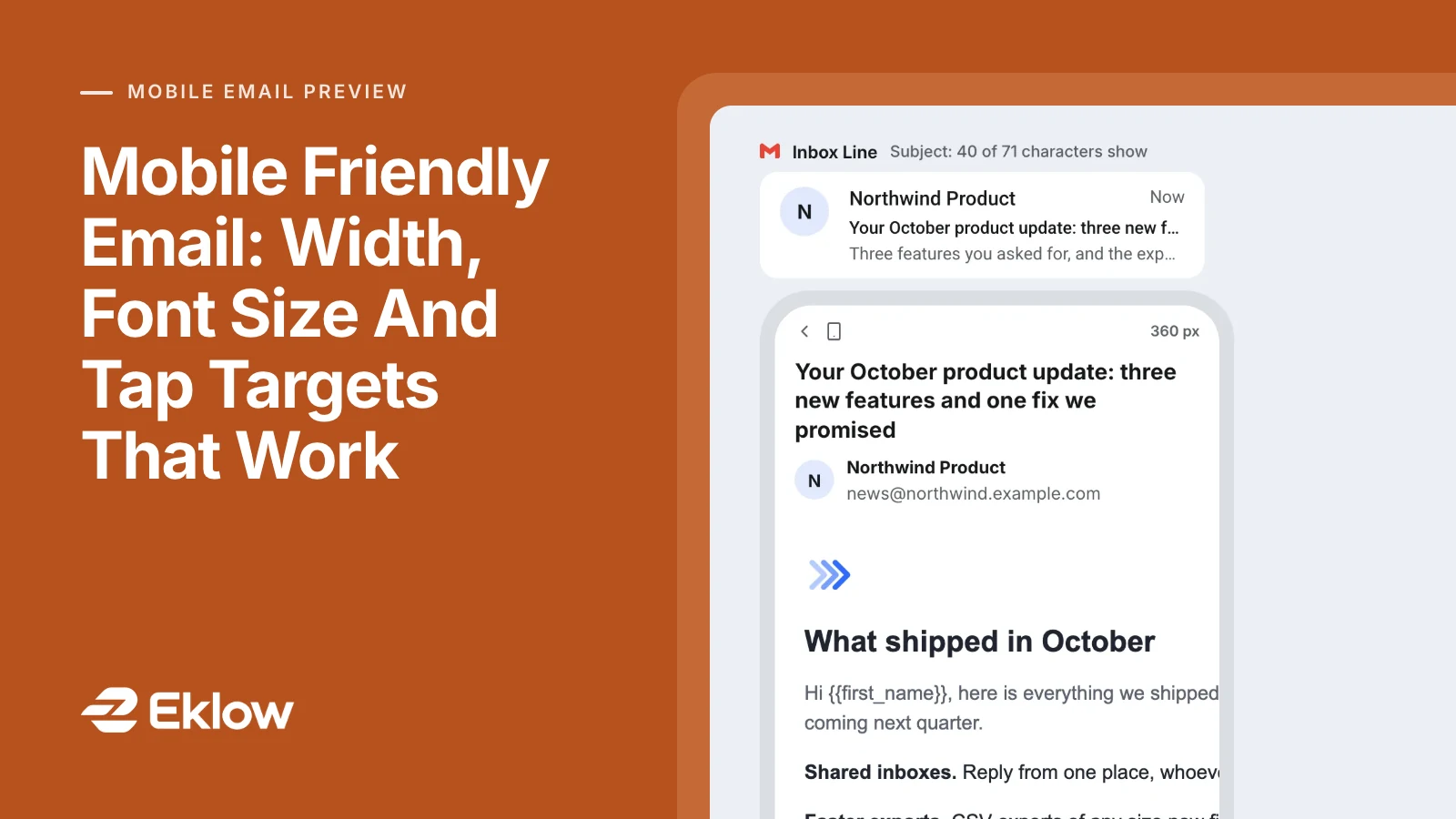
The free mobile email preview draws your email at the exact CSS width of seven phones, from the Galaxy S24 at 360 px to the iPhone 17 Pro Max at 440, or at a custom width. The frame is the real width, so text wraps and overflows exactly where that width makes it; when the phone is wider than the page column, the whole device is scaled down as one picture, so the layout inside it never changes, and the frame keeps its width in pixels on its label.
Check the email and the findings name any element with a fixed width wider than the narrowest phone, with its tag and pixel width, along with any image that has no alt text. Switch images off to see each image replaced by its alt text, the way a reader with images blocked sees it, and turn on Larger Text to see the inbox line at the next iPhone text size.

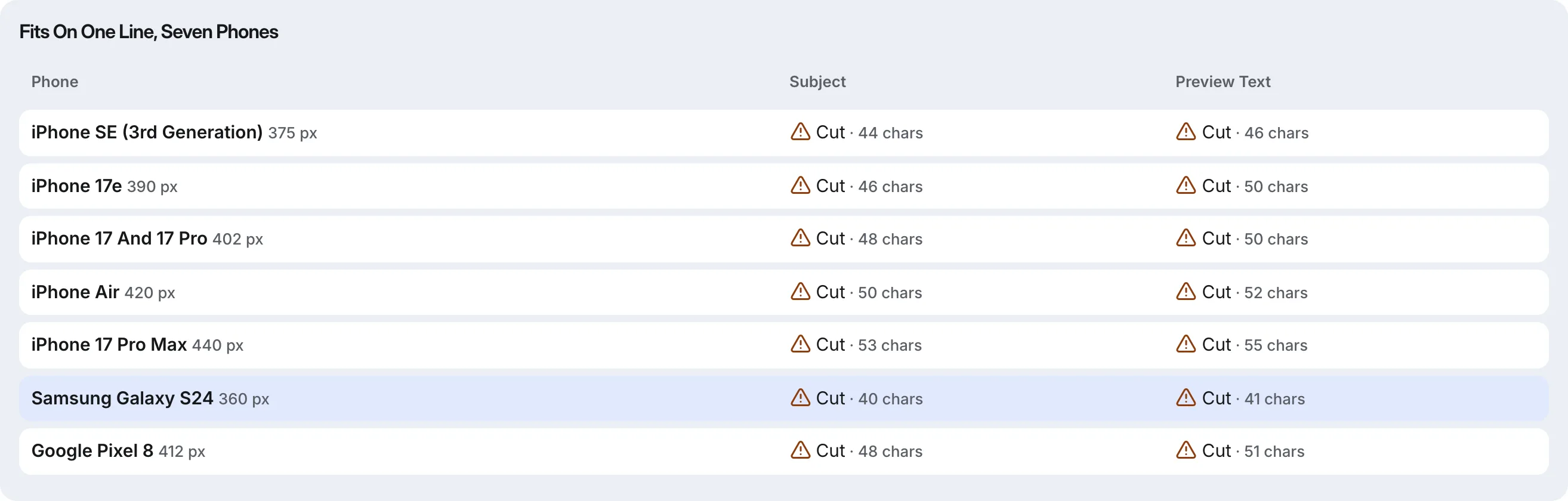
The same check measures the subject and preview text on all seven phones and shows how many characters fit on one line on each. The tool is also in the Tools tab inside Eklow, next to the template checker that scores the same email for spam filter rules before it goes out. For what happens after the layout is right, read how to test a cold email template for spam and the guide to inbox placement testing.
Keep reading
- Email DesignPreheader Text: Why The Inbox Shows The Wrong Line Under Your SubjectIf the inbox shows "View this email in your browser" under your subject, your preheader text is missing. Here is how inboxes pick that line and how to set it.6 min read
- Email DesignEmail Dark Mode: Why Your Colours Flip And How To Fix ItEmail dark mode is not one thing: some apps use your dark styles, some invert part of it, some invert all of it. See why, and how to design for all three.8 min read
