


Introduction
The list came from a trade-show scanner, a spreadsheet a colleague kept for three years and a CSV export from the old CRM. You merged them, sent the first campaign, and 9% bounced. The next morning the second campaign, to a perfectly good list, landed in spam at half the addresses that had answered you last month.
To clean an email list, work from the most certain problems to the least: remove addresses that are malformed, on domains that cannot receive mail or on throwaway inboxes; fix or drop obvious typos such as gmial.com; take out anyone who has bounced, unsubscribed or complained before; set role addresses such as info@ aside for cold outreach; remove duplicates; and re-check any list older than a few months before you send to it. Then send to the cleaned list gradually and stop sending to anyone who never engages. The rest of this guide explains why each step matters and how to do it.
Why A Dirty List Hurts More Than The Bounces
A bounce on its own is a wasted email. The damage is what bounces tell mailbox providers: that you send to addresses you did not collect carefully. A high share of messages to non-existent mailboxes is one of the signals filters associate with purchased or scraped lists, and the reputation it costs is attached to your domain, so it affects every campaign you send from it, not just the one with the bad list.
Mailbox providers do not publish a bounce limit. Eklow's own deliverability health card treats a bounce rate above 2% as elevated; take that as a working line, not a published threshold. Complaints have published lines: Google's email sender guidelines ask bulk senders to keep the spam rate below 0.10% and never reach 0.30%, and a list full of people who never expected your email is the fastest way to get there.
How To Clean An Email List, Step By Step
| Step | What You Remove Or Fix | Why |
|---|---|---|
| 1. Format | Addresses with spaces, two @ signs, missing domains | They cannot be delivered at all |
| 2. Dead domains | Domains with no mail server, or a null MX | Every message to them bounces |
| 3. Throwaway inboxes | Addresses on disposable-mail services | Abandoned soon after use; nobody reads them |
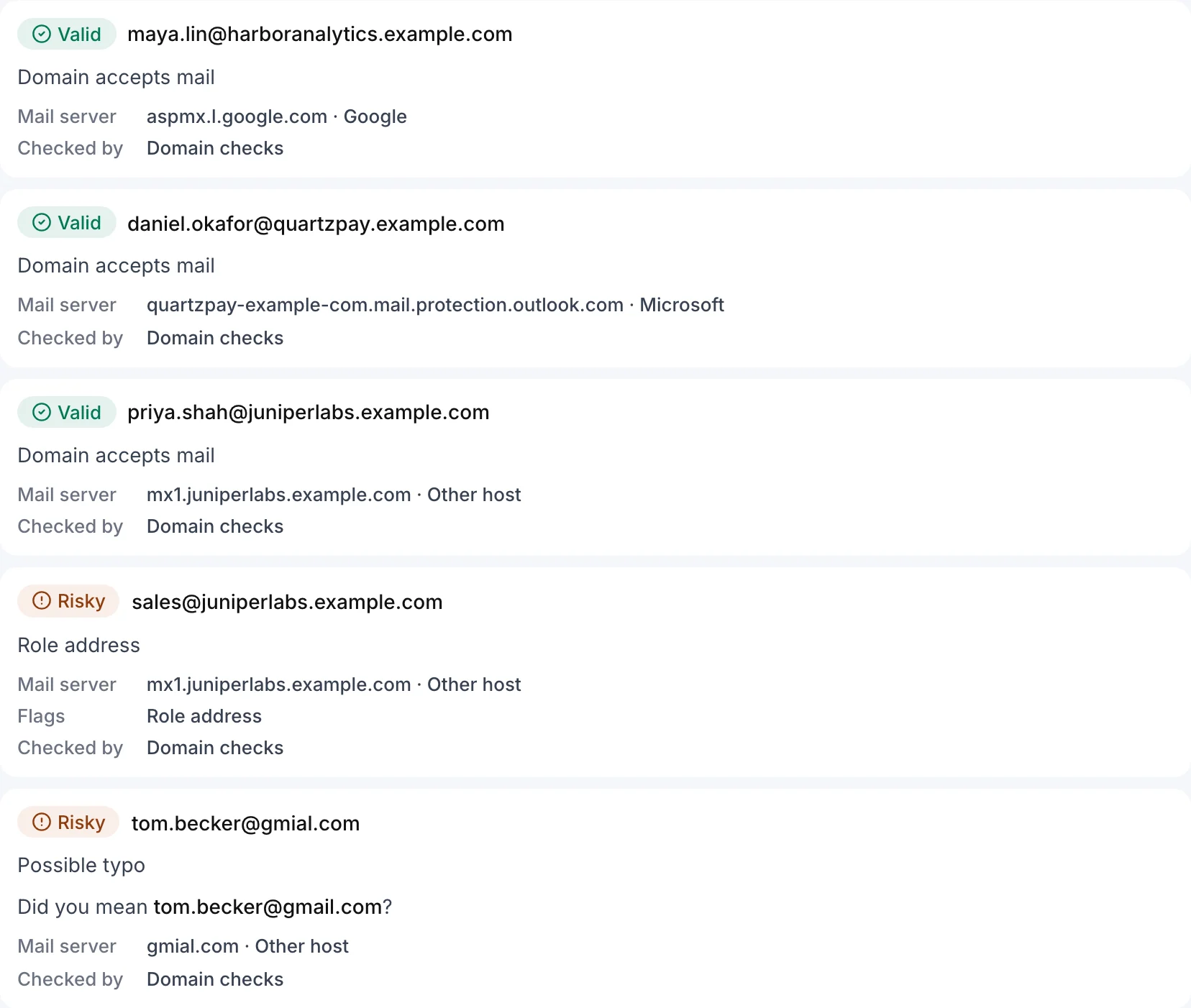
| 4. Typos | gmial.com, outlok.com, hotmial.com | Mail goes to someone else or nowhere |
| 5. Past bounces and opt-outs | Hard bounces, unsubscribes, complaints | Sending again is the clearest bad signal |
| 6. Role addresses (cold email) | info@, sales@, support@ | Shared, filtered and rarely reply |
| 7. Duplicates | The same address twice, often in different case | Double sends annoy and double complaints |
| 8. Age | Anything not checked in the last few months | Addresses decay as people change jobs |
Remove Malformed Addresses
Exports and scanners produce addresses with trailing spaces, commas instead of dots, missing top-level domains or two addresses in one cell. Some can be repaired by trimming; the rest go. This is the only step a spreadsheet formula can handle well on its own.
Remove Domains That Cannot Receive Mail
Every domain that receives email publishes MX records naming its mail servers. If a domain has none, mail falls back to its address record under RFC 5321, and if it has neither, nothing can be delivered. Some domains publish a null MX, a single MX record pointing at ".", which RFC 7505 defines as "this domain accepts no mail". Companies that closed or rebranded often leave a domain in one of these states. A DNS lookup per domain finds them.
Remove Throwaway Inboxes
Disposable-mail services hand out temporary inboxes that are abandoned within minutes or days. They mostly enter lists through sign-up forms and gated downloads. Nobody will read what you send there, and some of these domains stop accepting mail entirely. Match domains against a maintained list of disposable services.
Fix Or Drop Typos
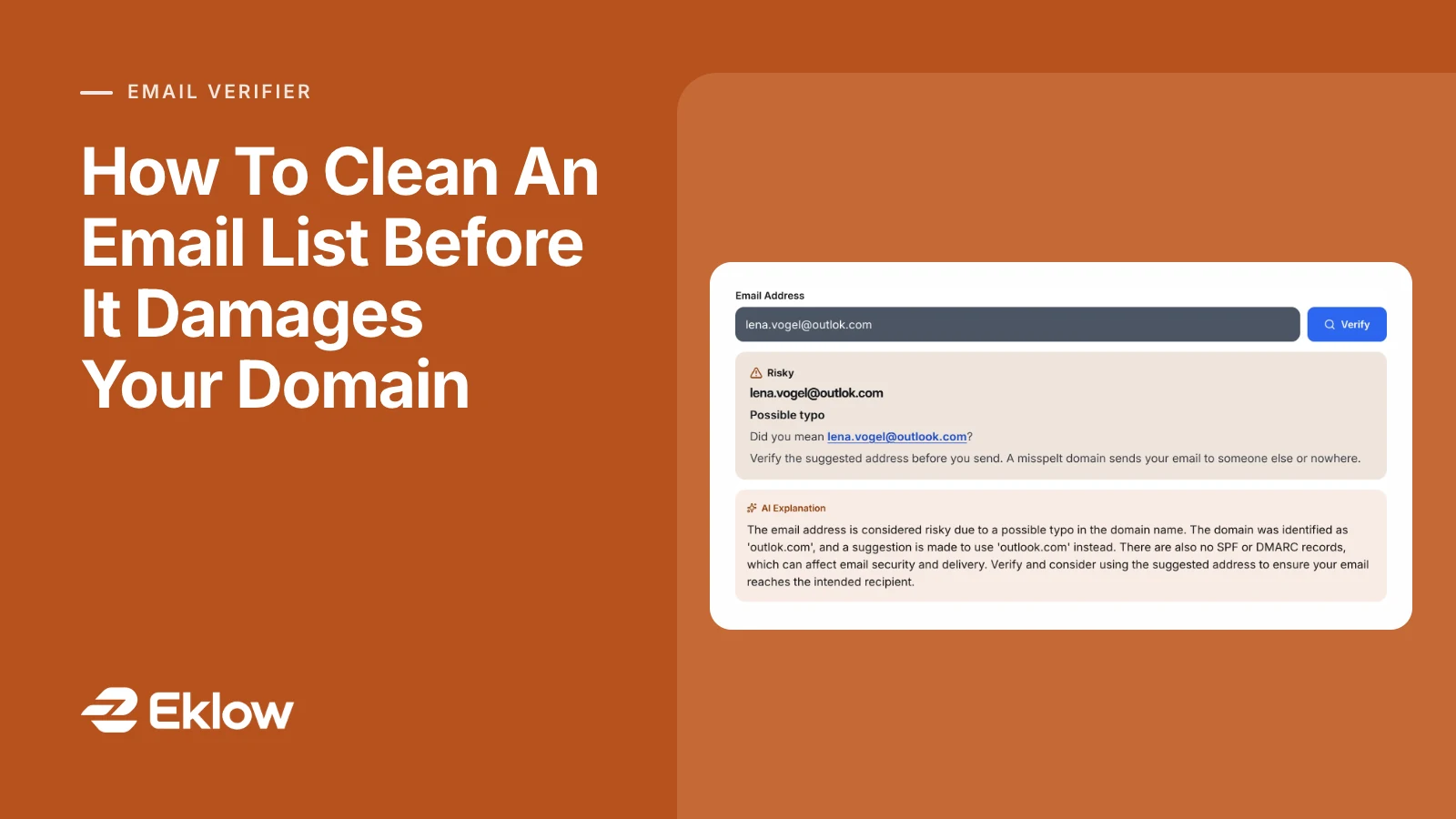
Misspelt domains of large providers are common in hand-typed data: gmial.com, gmal.com, outlok.com, yaho.com. Some of those domains are registered by third parties precisely to collect mistyped mail, so they may even accept your message, which is worse than a bounce. If you can confirm the intended address, fix it; if not, drop it.
Apply Your Suppression List
Anyone who hard-bounced, unsubscribed or marked you as spam must never be mailed again from any list. When lists are merged from several tools, this is the step that gets lost: an address that unsubscribed in the old platform arrives in the new one as a fresh contact. In the US, CAN-SPAM requires opt-outs to be honoured (FTC guide), and that obligation does not reset when you change tools. Import your old suppression data before your contacts.
Set Role Addresses Aside For Cold Outreach
info@, sales@, support@ and similar addresses belong to functions, not people. They are usually real and accept mail, but they are shared, often filtered and rarely reply to cold email. Keep them for newsletters people subscribed with, and look for a named contact for outreach.
Re-Check Old Lists
B2B addresses decay as people change jobs and companies close or merge. There is no reliable public figure for how fast, but anyone who has re-sent to a two-year-old list knows the result. Re-verify any list you have not mailed or checked in the last few months, and treat a list older than a year as new data.
What A List Check Can And Cannot Tell You
Domain-level checks, the ones above, are certain about what they cover: the address is well formed, the domain accepts mail, it is not a throwaway or a typo. They cannot confirm that one particular mailbox exists. A domain that accepts mail can still bounce an address nobody uses. Some services also ask the receiving server about the mailbox itself, but many servers accept every address or refuse to answer, so even those results include "unknown". Treat a clean result as "able to receive mail", and still watch the first send closely.
After Cleaning: Send Carefully
- Start small. Send to a slice of the cleaned list first and check bounces before the rest. If the slice bounces badly, stop and look again.
- Warm new mailboxes first. A clean list does not make a brand-new mailbox trusted; our warmup ramp guide covers the schedule.
- Remove bounces as they happen. Any good sending tool suppresses a hard bounce automatically. Check that yours does.
- Sunset the unengaged. Contacts who have not replied or clicked across several campaigns are where complaints come from. Stop mailing them.
Questions About Email List Cleaning
How Often Should I Clean My Email List?
Before every first send to a new or merged list, and again whenever a list has gone unused for a few months. For an active list you mail weekly, continuous hygiene matters more than a periodic clean: suppress bounces, unsubscribes and complaints as they happen, and stop sending to people who never engage.
Can I Clean A Purchased List And Use It?
Cleaning removes addresses that cannot receive mail. It does not make people expect your email. Purchased lists produce complaints even when every address is valid, and complaints are what Gmail and Yahoo measure most strictly. Verification is not a substitute for a reason to write to each person.
Should I Send A Test Email To Check Addresses?
No. Sending to an unknown list to see what bounces is exactly the behaviour that damages your domain. Check addresses before sending, with DNS-based checks that never contact the recipient, and send to the cleaned list in small batches.
What Bounce Rate Is Too High?
Mailbox providers publish no bounce limit, so any figure is a working line rather than a rule. We treat a bounce rate above 2% as elevated and worth stopping to investigate. Our email bounce rate calculator works out hard, soft and overall bounce rates from your counts.
How Eklow Handles This
Our free email verifier runs the domain-level checks from this guide on one address at a time: format, whether the domain has a mail server or a null MX, disposable domains, role addresses and typos of common mail domains, with a suggested correction. It never sends anything to the address. Each result is valid, risky or invalid, with the reason that decided it and a next step.
For whole lists, email verification in Eklow uses the same checks on lists, segments and uploaded CSV files, and verifies every import and new contact automatically. Risky and invalid contacts are held out of campaigns until you choose to include them, and suppressed, unsubscribed, bounced and complained contacts are always excluded. Results download as a CSV with your original columns kept. Email verification in the docs explains each verdict.
Keep reading
- DeliverabilityIs My Domain Hurting My Deliverability? A Domain Reputation Check, Signal By SignalHow to check your domain's reputation as an email sender: the public signals receivers can see, how to read each one by hand, and what to fix first when your domain is the problem.5 min read
- DeliverabilityChoosing An Outreach Email Tool: What Actually Affects Inbox PlacementComparing outreach and email marketing tools? The features that change whether mail reaches the inbox, the ones that only look good in a demo, and questions to ask before you pay.4 min read
