


Introduction
The prospect finally replied, to your third email, with one line: "Sorry, what is this about?". Your first email explained everything. But step two went out with a clever new subject, step three with another, and in their inbox each one sat alone with no history above it. Every follow-up had to make its case from nothing, and the context you worked so hard on was three separate conversations away.
For most cold sequences, the best follow up email subject line is the one you already wrote: send the follow-up as a reply in the same thread and keep the first email's subject, so it lands directly under your original message. Write a new subject only when you mean to start a new conversation, such as a different angle after the thread has gone quiet, and then treat it as a first email in its own right. The rest of this guide explains how inboxes decide what counts as the same conversation, when a fresh subject earns its place, and what to write when it does.
How Inboxes Decide A Follow-Up Belongs To The Same Thread
Two things tie a follow-up to the email before it. The first is a pair of headers defined in section 3.6.4 of RFC 5322: In-Reply-To names the message you are answering, and References lists the chain. The second is the subject line itself.
Gmail is explicit about the subject. Its help page on grouping emails into conversations says a conversation breaks off when the subject line changes. Google's developer guide for Gmail threads gives the same rule from the sending side: for a message to join a thread, the References and In-Reply-To headers must be set and the Subject headers must match. Other mail apps have their own grouping rules and settings, and not every reader has conversation view switched on, so test the inboxes your prospects use rather than assume.
| What the follow-up carries | What the reader is likely to see in Gmail |
|---|---|
| Reply headers and the same subject | One conversation, with your first email right above the follow-up |
| Reply headers and a new subject | A separate conversation, because the subject changed |
| No reply headers and the same subject | Depends on the app; you are relying on the subject alone |
| No reply headers and a new subject | A brand new email with no history |
This is why changing the subject on step two quietly undoes the point of a sequence. The reader loses the first email's context, and you lose the easiest thing a follow-up can do: remind them, without repeating yourself, of what you already said.
Same Subject Or New Subject: When Each One Fits
| Situation | Subject | Why |
|---|---|---|
| Steps two and three of a short sequence | Same as step one | The follow-up adds one thing to an argument the reader can scroll up to |
| You bring new information on the same topic | Same as step one | A new fact still belongs in the conversation that asked the question |
| You switch to a clearly different angle or offer | New | It is a new conversation, so it should look like one and stand on its own |
| You write again months later | New | The old thread is long out of view; a fresh, specific line says why now |
| A different person at the company | New | They never saw the first email, so a reply to it would not be a real reply |
When you do keep the subject, a follow-up sent as a real reply may carry "Re:" in front of it, because it is one. What you should never do is add Re: to a message that is not a reply: Google's sender guidelines say not to send messages with subjects starting with Re: or Fwd: unless they are actual replies or forwards.
Follow Up Email Subject Line Examples For A New Thread
When a fresh subject is the right call, write it the way you would write a first email: lead with the reason. These examples are for a company that runs inbox placement tests, following up with a sales operations manager at Northwind Software. Each one points at something new, not at the fact that you wrote before.
| Angle | Example subject | What the email then does |
|---|---|---|
| A different problem | Outlook placement for Northwind's new domain | Raises one issue the first thread never mentioned |
| Something useful | Sample placement report for one mailbox | Offers the report itself, with no meeting attached |
| A trigger event | Your SDR team doubling this quarter | Connects a real change at the company to the offer |
| A different person | Who owns sending domains at Northwind? | Asks a new reader a question only they can answer |
| Closing the loop | Closing the loop on inbox placement | Says you will stop writing and leaves the door open |
Follow-Up Subject Lines To Avoid
- "Just following up" and "Checking in" tell the reader nothing new, and on a fresh thread they are not even true: there is nothing above them to follow up on.
- "Did you see my email?" asks the reader to admit they ignored you, and gives them no reason to look.
- "Final notice" or "Last chance" imply a deadline that does not exist, which runs against the FTC's CAN-SPAM rule that a subject line must accurately reflect the content of the message.
- "Re: our conversation" on a new thread when there was no conversation, for the reason Google's guideline above gives.
Breakup Email Subject Lines
The last step of a sequence is often called a breakup email. If it stays in the thread, keep the subject and let the body do the work. If it starts a new thread, say plainly what it is: "Closing the loop on inbox placement" or "Last note about Northwind's sending domains". Skip guilt and drama; our sequence design guide shows a final step that reads like a person and still gets replies.
How To Check Your Follow-Ups Thread Before You Launch
- Give every in-thread step exactly the same subject as step one. Even a changed word starts a new Gmail conversation.
- Confirm your sending tool sends follow-ups with In-Reply-To and References headers that point at the earlier message.
- Send the whole sequence to a Gmail test inbox and an Outlook test inbox, a few minutes apart, and open the last step. The earlier steps should sit above it.
- Use the same sending mailbox for every step to a contact, so the conversation has one sender.
- For any step that deliberately starts a new thread, reread it with the earlier emails hidden. It must make sense on its own.
Follow-Up Subject Line Questions
Should I Change The Subject Line When Following Up?
Usually not. Keeping the subject and sending the follow-up as a reply keeps your first email in view, and Gmail starts a new conversation when the subject changes. Change it only when you are deliberately starting a new conversation, such as a different offer or a different person, and then write it as a first email.
What Subject Line Should I Use After No Response?
If you are still in the same sequence, the same one as before, as a reply in the thread. If the thread has gone quiet and you are trying a new angle weeks later, use a subject that names the new reason, such as a different problem or a useful resource, rather than one that points at the silence.
Does Changing The Subject Line Start A New Thread In Gmail?
Yes. Gmail's help on conversation view says a conversation breaks off when the subject line changes, and Google's developer guide says a message joins a thread only when its Subject header matches and its reply headers are set. Other apps group mail differently, so test the inboxes your readers use.
Should A Follow-Up Email Have RE: In The Subject?
It may, when the follow-up really is a reply in the same thread, because then the prefix is accurate. On a message that starts a new thread it is a fake reply, which Google's sender guidelines tell senders not to use. When in doubt, the exact subject of your first email without a prefix is always honest.
How Eklow Handles This
Because the follow-ups ride on your first subject, that first line matters most. The free email subject line generator drafts it from a short brief and drops any draft that fails our subject line tester, including any that starts with Re: or Fwd:, since on a first email that would be a fake reply.
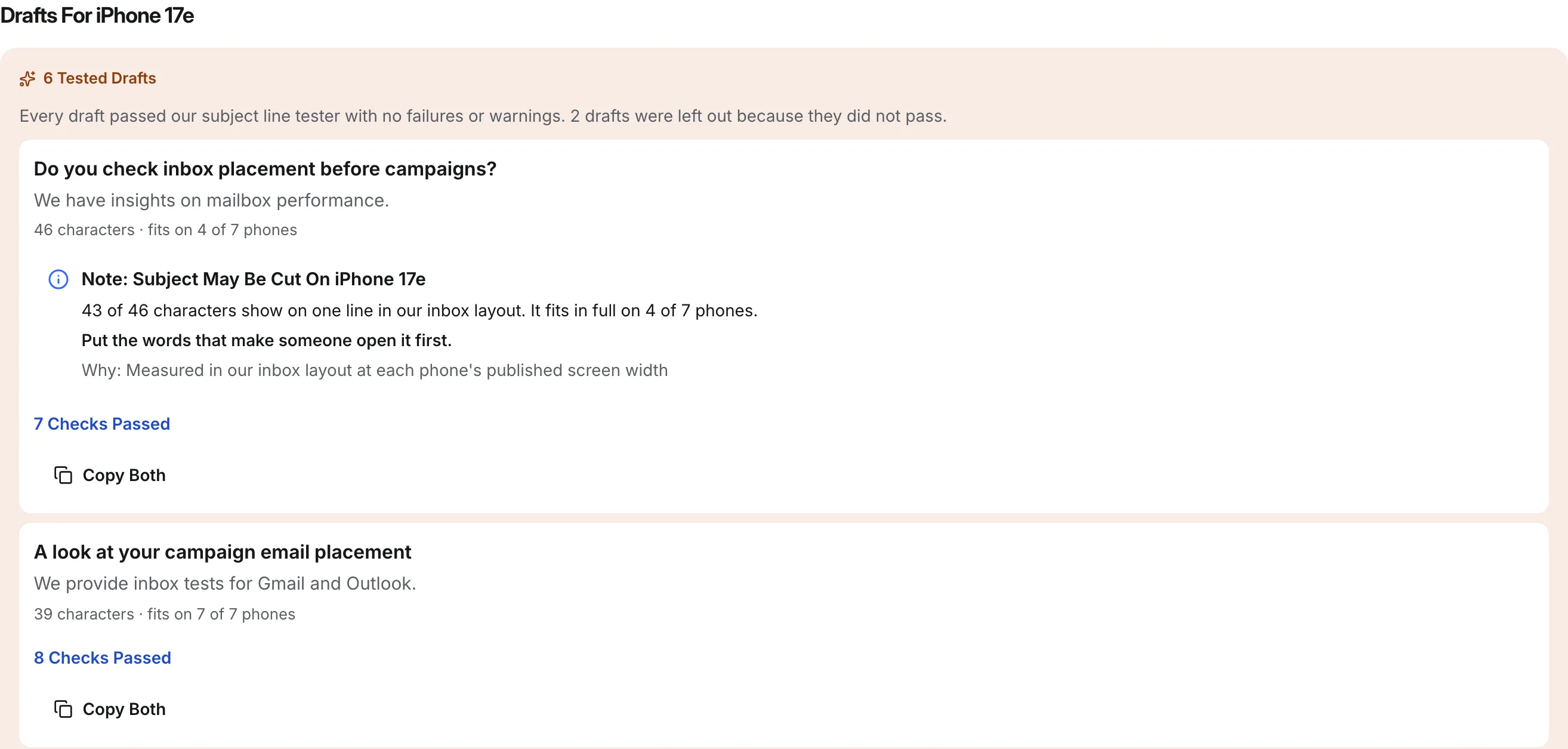
When Eklow sends a sequence, every step after the first goes out with In-Reply-To and References headers that name the earlier messages to that contact, so a step with the same subject threads as a genuine reply. Each step has its own subject field, which means you choose per step whether to stay in the thread or start a new one.
If you are drafting the whole sequence, the free cold email sequence generator has a Same Thread option that gives every follow-up the opener's subject, and a New Subject Each Time option for sequences you want split. Before launch, an inbox placement test shows where the sequence lands at each provider.
Keep reading
- Cold EmailHow To Write A Cold Email A Stranger Will AnswerHow to write a cold email a stranger will actually answer: the five parts, what each line is for, a worked example, the length that works and what to cut.8 min read
- Cold EmailSales Email Signature: What To Keep For Cold OutreachA sales email signature for cold outreach should be short, mostly text and light on links. What to keep, what to cut, and why heavy signatures cost you.6 min read
