


Introduction
The subject looked right on your laptop: a rocket at the start, a small technologist at the end. Then a prospect replied, kindly, with a screenshot. On their phone the technologist had become two separate pictures, a woman and a laptop, side by side. Someone else on the list saw an empty box. Same email, same subject, three different lines.
Emojis in email subject lines are allowed, and no mailbox provider bans them. They are not sent as pictures, though. The subject travels as encoded text, defined by RFC 2047, and the reader's device draws each emoji from its own fonts. An older phone may not know a newer emoji, and an emoji built from several pieces falls apart into those pieces when the device cannot join them. Use few, widely supported emoji, never as a stand-in for words, and test on both iPhone and Android.
How An Emoji Travels In A Subject Line
Email headers were designed for plain ASCII text. RFC 2047 defines encoded words, which carry any other character in a form that ASCII-only systems pass through untouched. Each one names its character set, an encoding letter (B for base64, Q for a quoted-printable style), and the encoded bytes, and no single encoded word may be longer than 75 characters. Here is the subject from the opening, exactly as our mail library writes it:
Subject: =?UTF-8?Q?=F0=9F=9A=80_Q4_pipeline_idea_for_Harbor?=
 =?UTF-8?Q?_Supply_=F0=9F=91=A9=E2=80=8D?= =?UTF-8?Q?=F0=9F=92=BB?=
=F0=9F=9A=80 is the rocket: four bytes of UTF-8. The technologist at the end is split across two encoded words, which is allowed, because RFC 2047 tells the reading app to ignore the space between adjacent encoded words and join them back together. A newer extension, RFC 6532, lets two servers that both support it carry UTF-8 in headers directly, but encoded words still work everywhere, which is why mail libraries use them.
The practical lesson: once a subject has an emoji, it is no longer plain text on the wire. A tool that pastes a subject into a header without encoding it can turn the emoji into a run of odd characters, such as "🚀", which is how many "my emoji shows as gibberish" reports start.
Why An Emoji Shows As A Box Or Splits In Two
Emoji are defined by the Unicode Consortium in Unicode Technical Standard #51, and new ones are added with each release. Many emoji that look like one picture are really several characters in sequence, and how they appear depends on whether the reader's device knows the whole sequence:
| Emoji | What it is made of | Code points | UTF-8 bytes | On a device that lacks it |
|---|---|---|---|---|
| 🚀 rocket | One character | 1 | 4 | An empty box |
| ❤ and ❤️ heart | The heart, plus U+FE0F to ask for the colour emoji form | 1 or 2 | 3 or 6 | Without U+FE0F, often a plain black text heart |
| 🇺🇸 flag | Two regional indicator letters, U and S | 2 | 8 | The two letters shown separately |
| 👩💻 technologist | Woman + zero width joiner + laptop | 3 | 11 | A woman and a laptop side by side |
The standard spells out the last row: when a device does not support a zero width joiner (ZWJ) sequence, the joiners are ignored and the separate emoji are shown instead. That is the split your prospect saw. The heart row explains a quieter problem: some characters show as text by default, and only become a colour emoji when followed by U+FE0F, the variation selector that asks for emoji presentation.
How Emojis Count Toward Subject Line Length
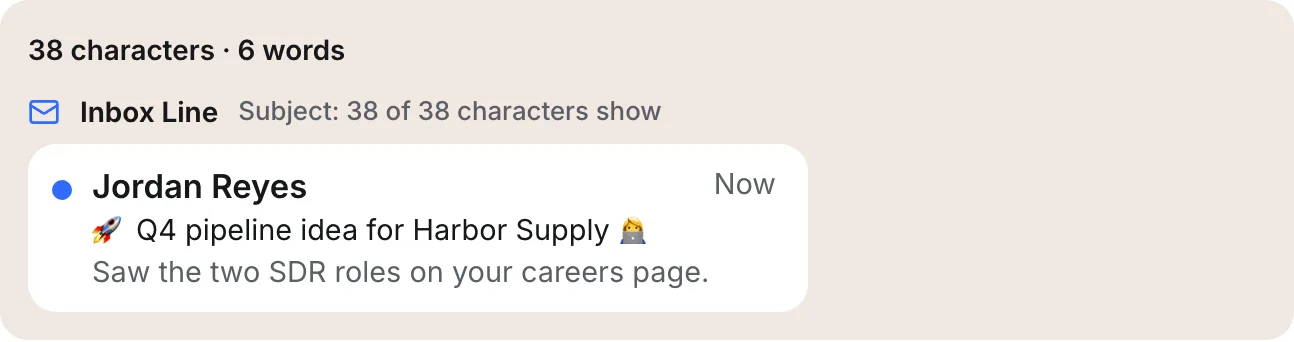
A reader sees the technologist as one character, so we count it as one. Code that counts code points would say three, and code that counts bytes would say eleven. The whole subject above is 38 characters to a reader, 40 code points and 51 bytes. Emoji are also wider than most letters on screen, so a line with two of them is cut sooner on a phone than its character count suggests.
Do Emojis In Subject Lines Hurt Deliverability?
No mailbox provider publishes a rule against emoji in a subject, and we found no primary source showing that filters penalise a single one. What the providers do address is deception. Google's email sender guidelines say not to use emojis or other non-standard characters to imitate graphic elements with the intent to deceive or influence recipients, and not to use emojis next to a display name to suggest it has been verified. A ✅ placed to look like a security badge, or a 🔒 implying a secure message, falls into that.
Spam filters weigh many signals together, so an emoji is rarely the deciding one. The bigger risk in cold email is the reader. A rocket and a fire emoji read as a marketing blast, not a note from one person, and a reader who thinks they are on a mass list is quicker to ignore it or press the spam button. Subjects made only of emoji, with no words at all, give the reader and the filter nothing to go on.
How To Add Emojis To A Subject Line Safely
- Use one, or none. In a first cold email, a plain subject sounds most like a person writing.
- Pick emoji that have been in Unicode for years, such as 👋 or 📅. Newer emoji are the ones older phones show as boxes.
- Avoid ZWJ sequences, skin tone combinations and flags if you cannot test them; they have the most ways to fall apart.
- Never let an emoji carry meaning. "📅 Tuesday" should still make sense if the reader sees an empty box.
- Do not use symbols that imitate badges, locks, ticks or alerts.
- Send a test to an iPhone and an Android phone, and look at the subject in the inbox list, not only in the opened email.
Emoji Subject Line Questions
Why Does My Emoji Show As A Question Mark Or Box?
A box usually means the reader's device has no glyph for that emoji, often because it is newer than the phone's software. A question mark or garbled characters usually mean the subject was not encoded properly when it was sent, so the reading app decoded the bytes with the wrong character set. Encoding per RFC 2047 prevents the second problem.
Should Cold Emails Have Emojis In The Subject Line?
Usually not. A cold email works when it reads like one person writing to another, and emoji tend to make it read like a campaign. No rule forbids them, so it is a judgment call. If you use one, keep it to a single, long-established emoji that adds meaning, and test it on several devices.
Can Spam Filters Read Emojis?
Yes. To a filter, an emoji is just a Unicode character after decoding, the same as any letter. Filters can count them, match them and weigh them with everything else in the message. No major provider documents a penalty for emoji as such, but deceptive use, such as imitating a verified badge, goes against Google's sender guidelines.
Can I Put Emojis In Preview Text Too?
Yes, the same rules apply. In a plain-text cold email the preview text is simply the first words of the body, which is sent as UTF-8 text rather than encoded words, and the reader's device still draws each emoji from its own fonts. Keep the opening line plain unless the emoji genuinely adds something.
How Eklow Handles This
The free email subject line tester counts emoji the way a reader sees them, as whole characters, including flags and joined sequences. One or two emoji get a warning that lists each one; three or more fail the line. A separate note says when a subject has characters outside plain ASCII, so it will be sent encoded and look different from device to device, and it cites RFC 2047 as the source.
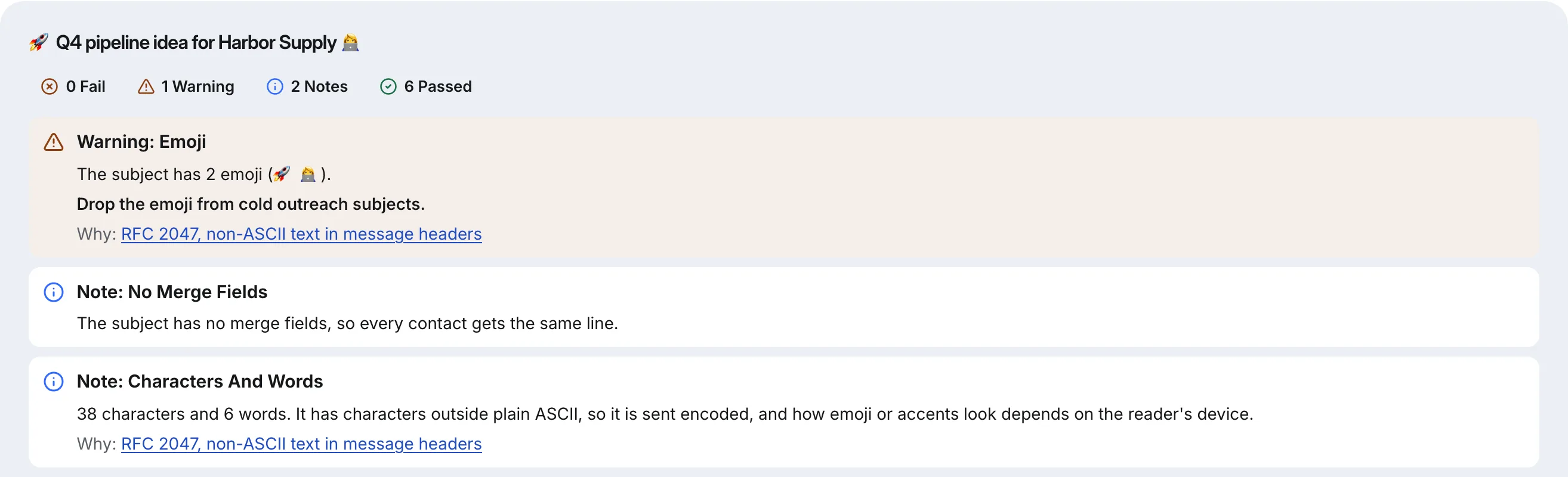
The tester also measures the line on seven phones, so you can see how much room the emoji take, and checks the rest of what a subject can get wrong: spam-list phrases, all capitals, a fake reply prefix and empty merge fields. If you want the full picture on wording, our post on spam trigger words covers which ones matter.
Inside Eklow, the tester is in the Tools tab, and the sequence editor runs the same emoji and subject checks on each step while you write it. Before a campaign goes out, the template checker guide explains how to check the whole email, subject and body together.
Keep reading
- Cold EmailHow To Write A Cold Email A Stranger Will AnswerHow to write a cold email a stranger will actually answer: the five parts, what each line is for, a worked example, the length that works and what to cut.8 min read
- Cold EmailSales Email Signature: What To Keep For Cold OutreachA sales email signature for cold outreach should be short, mostly text and light on links. What to keep, what to cut, and why heavy signatures cost you.6 min read
