


Introduction
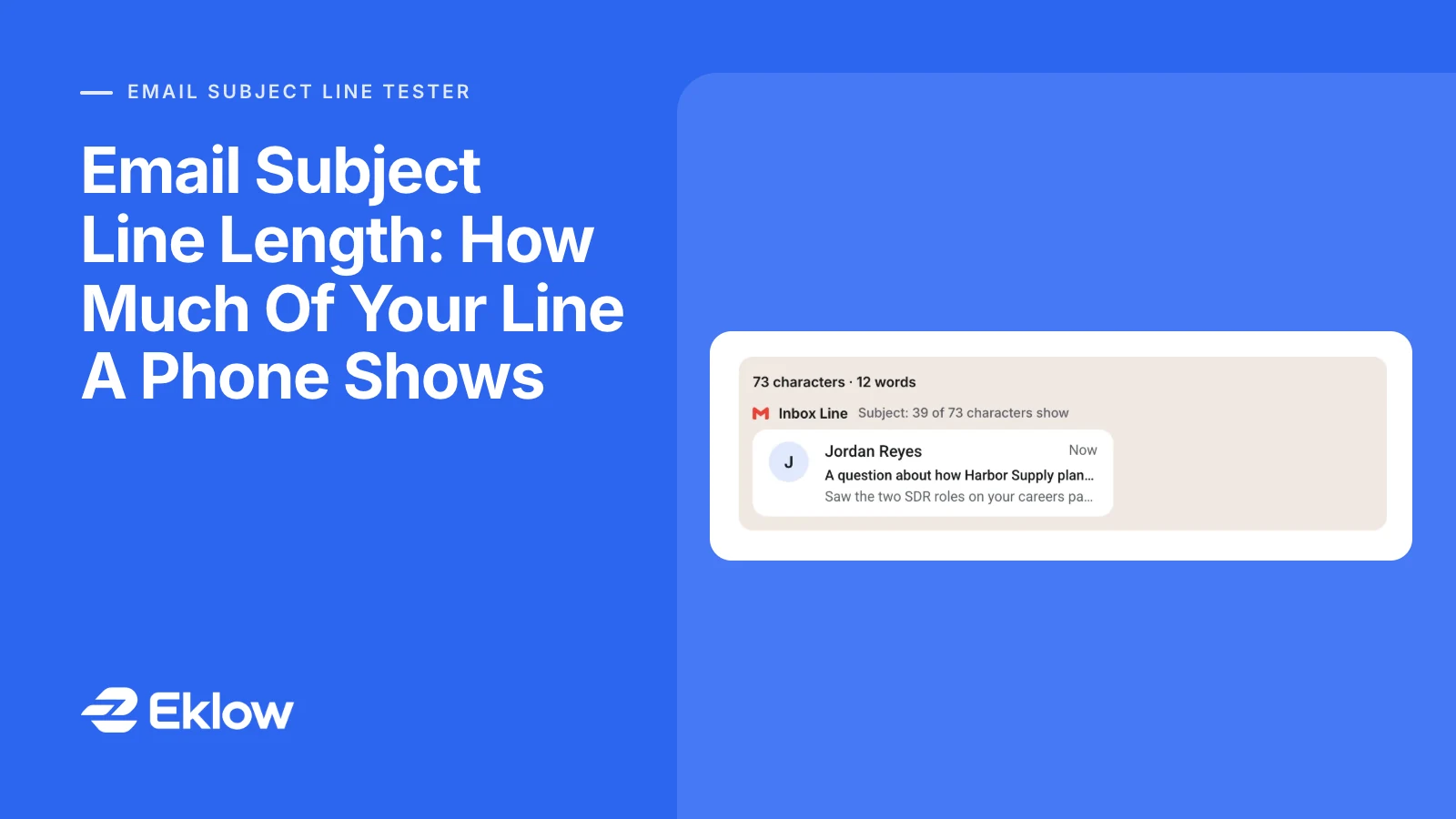
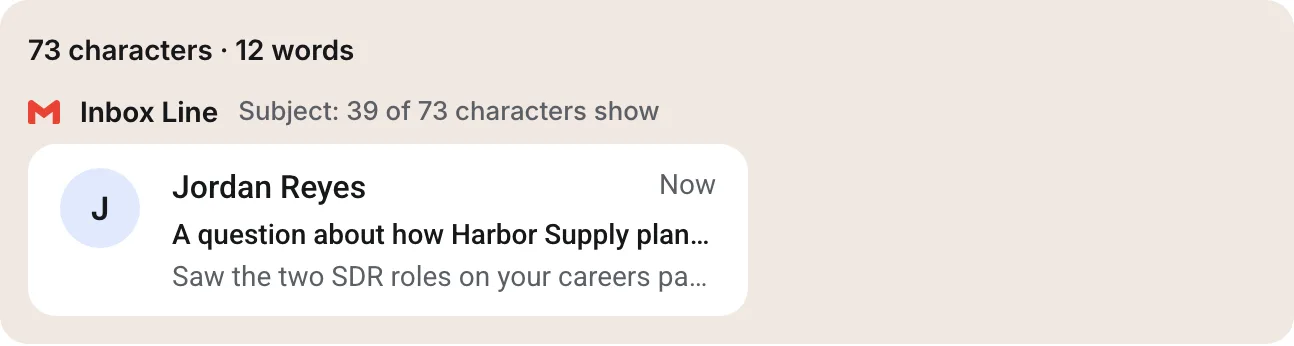
You spent ten minutes on the subject. It names the prospect's company, says why you are writing and sounds like a person. Then you send yourself a test, open it on your phone and read: "A question about how Harbor Supply plan…". The part that made the line worth opening, the outbound hiring, never reached the screen.
The right email subject line length is the one whose important words show on the reader's phone, and no standard sets a number for that. The email format allows very long subjects; the inbox decides how much of it to draw. In our measurements, one 73-character subject showed between 39 and 52 characters on seven current phones. So put the reason to open in the first 30 to 40 characters, and treat everything after that as extra for wider screens.
Is There An Email Subject Line Character Limit?
Not one you will ever reach by writing. RFC 5322, the standard for the format of an email, says a line in a message must be no more than 998 characters and should be no more than 78. That applies to the raw header line, not to what the reader sees, and a long header is simply folded onto several lines (section 2.2.3). The reader's mail app unfolds it and shows one subject.
Here is the 73-character subject from the opening, as our mail library writes it into the message. The header goes past 78 characters, so it continues on a second line that starts with a space:
Subject: A question about how Harbor Supply plans its outbound hiring next
 quarter
So the subject line character limit people search for does not exist in the standard, and email subject line length is really a question about screens. What exists is a display width, and it is far shorter than anything the format would ever complain about.
How Many Characters Of A Subject Line Show On A Phone
We ran that subject through the Eklow subject line tester, which draws the inbox row at each phone's published screen width and measures where the text is cut. These are the results for this one line:
| Phone | Screen width (CSS px) | Characters shown |
|---|---|---|
| Samsung Galaxy S24 | 360 | 39 |
| iPhone SE (3rd generation) | 375 | 45 |
| iPhone 17e | 390 | 46 |
| iPhone 17 and 17 Pro | 402 | 48 |
| Google Pixel 8 | 412 | 48 |
| iPhone Air | 420 | 50 |
| iPhone 17 Pro Max | 440 | 52 |
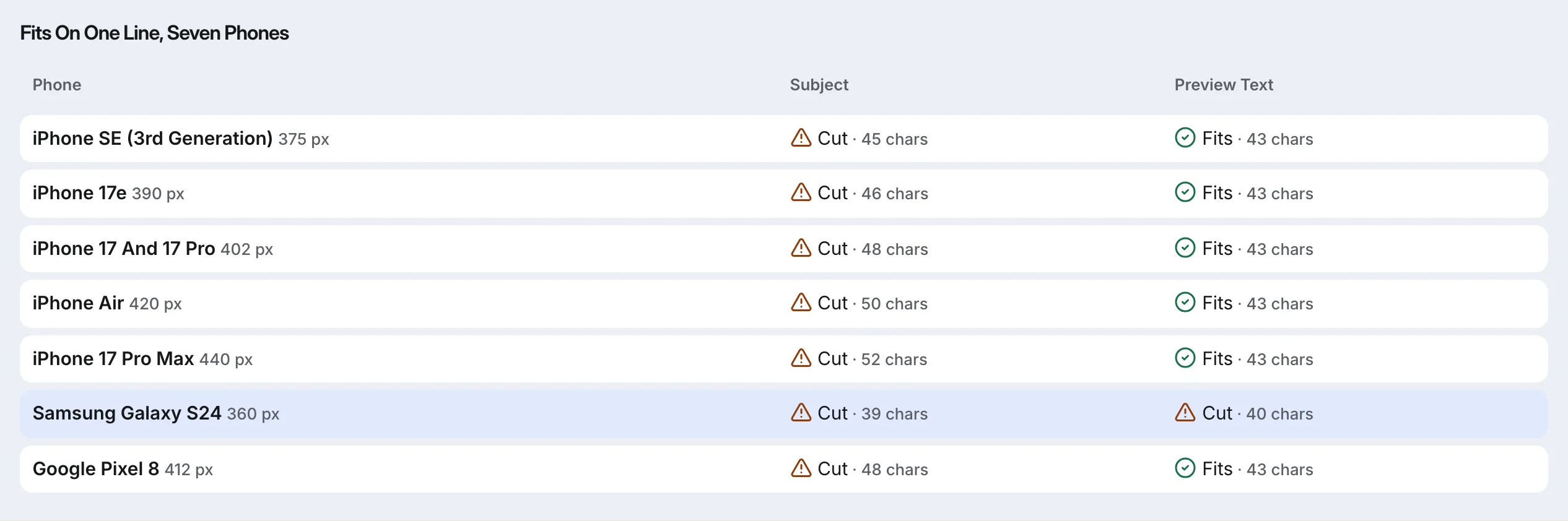
Read those numbers as the size of the range, not as limits. They belong to this line in our inbox layout, and three things move them for any real reader.
Letters Are Not All The Same Width
Mail apps use proportional fonts, where a "W" is several times wider than an "i". A subject full of capitals and wide letters gets cut sooner than one of the same length in lowercase. That is why a character count alone cannot tell you whether a line fits, and why the tester measures the rendered text instead.
The App, The Text Size And The Layout
Each app spends part of the row on margins, an avatar or an unread dot, and the reader's text size setting scales everything. Apple's iPhone User Guide also lets readers change how many lines of preview Mail shows. A reader with larger text sees fewer characters than any table can promise.
Desktop Shows More, But Not Where It Counts
A web inbox on a wide monitor has room for far more of the subject, often followed by the start of the body on the same row. That makes a long subject look fine when you check it at your desk. Cold email is often read first on a phone, between meetings, so test the narrowest screen you expect, not the widest.
How To Write A Subject Line That Survives Truncation
Subject line truncation is not a problem when the cut only removes words the reader did not need. These steps get you there by hand:
- Write the subject, then read only its first 30 characters. If those alone do not say why you are writing, move the reason forward.
- Delete warm-up words such as "A question about how" and "Quick note regarding". They spend the most valuable part of the row on nothing.
- Check merge fields at their longest. "{{company}}" might be "Acme" for one contact and "Northwest Regional Medical Supply Cooperative" for another, and the long one pushes everything after it off the screen.
- Pair the subject with its preview text. The preview line sits under the subject on most phones, so it can carry the detail the subject had no room for.
- Send a test to the smallest phone you can find, or measure the line at 360 pixels wide, the narrowest of the seven phones above.
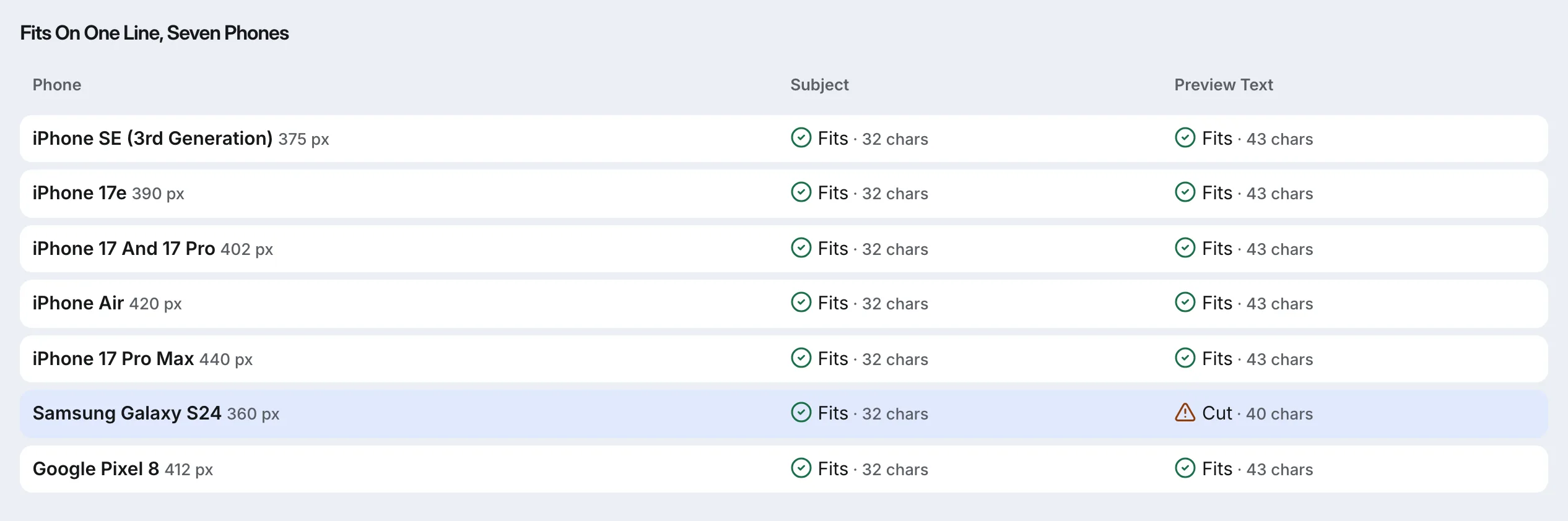
Applied to our example, the line became "Outbound hiring at Harbor Supply", 32 characters, with "Saw the two SDR roles on your careers page." as the preview text. It now shows in full on all seven phones, and the preview carries the detail.
Email Subject Line Length Questions
What Is The Ideal Email Subject Line Length?
There is no single ideal length, because the space depends on the phone, the app and the reader's text size. A practical target is to keep the words that matter inside the first 30 to 40 characters. In our measurements, that much showed on every phone we tested, even the 360-pixel Galaxy S24.
Does Subject Line Length Affect Deliverability?
No mailbox provider publishes a rule that penalises a long subject, and we found no primary source showing one. Length is a reading problem, not a filtering one. Our tester still warns above 60 characters and fails a subject over 100, because at that size most of the line never reaches a phone screen.
How Many Characters Does Gmail Show On Mobile?
Google does not publish a number, and it changes with the phone's width and the text size. On the two Android phones we measured, a 73-character subject showed 39 characters on the 360-pixel Galaxy S24 and 48 on the 412-pixel Pixel 8. Test your own line rather than relying on a fixed figure.
Does Preview Text Count Toward The Subject Line Length?
No. Preview text is drawn on its own line under the subject on most phones, and it is cut separately. On a wide desktop inbox the two can share one row, so the longer the subject, the less preview text fits beside it. Write them as a pair: the subject earns the open, the preview adds the detail.
How Eklow Handles This
The free email subject line tester does the measuring for you. As you type, it counts characters the way a reader sees them, so an emoji or an accented letter counts once, and draws your line in an inbox row for the phone you pick. When you run the test, it measures the subject and the preview text on all seven phones, shows how many characters fit on each, and warns when the phone you picked cuts the subject, saying on how many of the seven it fits in full. You can add up to five lines and compare them side by side.
Length is one of several checks. The same test looks for spam-list phrases, all capitals, a fake reply prefix and merge fields that would leave a gap when a contact has no value, and names the rule or measurement behind every finding. If you want to know which words matter to filters, our post on spam trigger words covers that side.
Inside Eklow, the tester is in the Tools tab, and the sequence editor scores each step's subject and body while you write it, with the same subject checks. When you build a sequence, you can put two subject lines on one step as variants and compare their results in analytics, which tells you more about your audience than any length rule.
Keep reading
- Cold EmailHow To Write A Cold Email A Stranger Will AnswerHow to write a cold email a stranger will actually answer: the five parts, what each line is for, a worked example, the length that works and what to cut.8 min read
- Cold EmailSales Email Signature: What To Keep For Cold OutreachA sales email signature for cold outreach should be short, mostly text and light on links. What to keep, what to cut, and why heavy signatures cost you.6 min read
