


Introduction
A prospect at a large company clicked every link in your email: the website, the case study, the calendar link and the unsubscribe link, all within four seconds, eleven seconds after delivery. Your sales tool flagged them as a hot lead and a rep called. The prospect had never seen the email. Their company's mail gateway had.
Email bot clicks are clicks made by software, mostly security scanners at corporate mail gateways that open every link in an incoming message to check it for threats. They usually happen within seconds of delivery, hit every link at once, often arrive without an open, and come from data-centre addresses. They inflate click-through rates, can push click-to-open rate over 100%, trigger "clicked" automations, and if the unsubscribe link acts on a simple GET request, can unsubscribe people who never asked. You cannot stop scanners, but you can count only real clicks and stop acting on the fake ones.
Why Security Scanners Click Your Links
Phishing usually arrives as a link. To catch it, many business mail systems follow URLs in incoming mail to see where they lead, before or when the message reaches the recipient. Microsoft's own documentation for Safe Links in Defender for Office 365 describes a setting under which "messages that contain URLs are held until scanning is finished" and are delivered only after the URLs are confirmed to be safe (Microsoft Learn: Safe Links). Other gateway and filtering products work along similar lines.
From the sender's side, a scanner following a tracked link looks like a click. The tracking server records it, your dashboard counts it, and nothing about the request says "a person did this" unless the scanner chooses to identify itself.
How To Spot Bot Clicks
| Sign | What It Looks Like | Why It Points To A Bot |
|---|---|---|
| Timing | Clicks within seconds of delivery | People rarely read and click that fast |
| Every link | All links clicked, including the unsubscribe | Scanners follow every URL; people pick one |
| Clicks without opens | Click recorded, no open, or more clicks than opens | Scanners fetch links, not images |
| Bursts | Several clicks in the same second | Software, not a hand on a mouse |
| Company domains | Concentrated at large organisations | That is where gateways are deployed |
| User agent | Names such as scanner, bot, preview or a vendor name | Some scanners announce themselves |
No single sign is proof. A fast reader can click within a minute, and some scanners wait or pass the click through only when the user clicks. Look for two or three signs together, and treat a click from a company domain within seconds of delivery as unconfirmed until something human follows, such as a reply or a page visit with real time on site.
What Bot Clicks Break
- Click-through rate. Every scanned message can add a click, so CTR rises with the share of corporate recipients rather than with interest.
- Click-to-open rate. Scanners click without loading images, so clicks can exceed opens and CTOR goes over 100%, which is impossible for people.
- Lead scoring and alerts. "Clicked the pricing link" fires for every scanned message. Reps call people who never read the email.
- A/B tests on clicks. The variant sent to more large companies "wins".
- Unsubscribes. If an unsubscribe link acts on a plain page load, a scanner can unsubscribe a recipient without their knowledge. This is why one-click unsubscribe in RFC 8058 uses a POST request, which link scanners do not send.
How To Count Real Clicks
- Count unique clicks, first click per email. A scanner that follows five links should not count as five clicks.
- Drop requests that identify themselves. Filter user agents that name a scanner, bot, preview or known gateway.
- Discount instant clicks. Treat clicks within a few seconds of delivery as unconfirmed in your own analysis.
- Never act on a click alone. Wait for a reply, a form fill or a second visit before treating a contact as engaged.
- Make unsubscribe require a deliberate action. Load a page on GET; unsubscribe on a button press or the RFC 8058 POST.
Reading CTOR And CTR Together
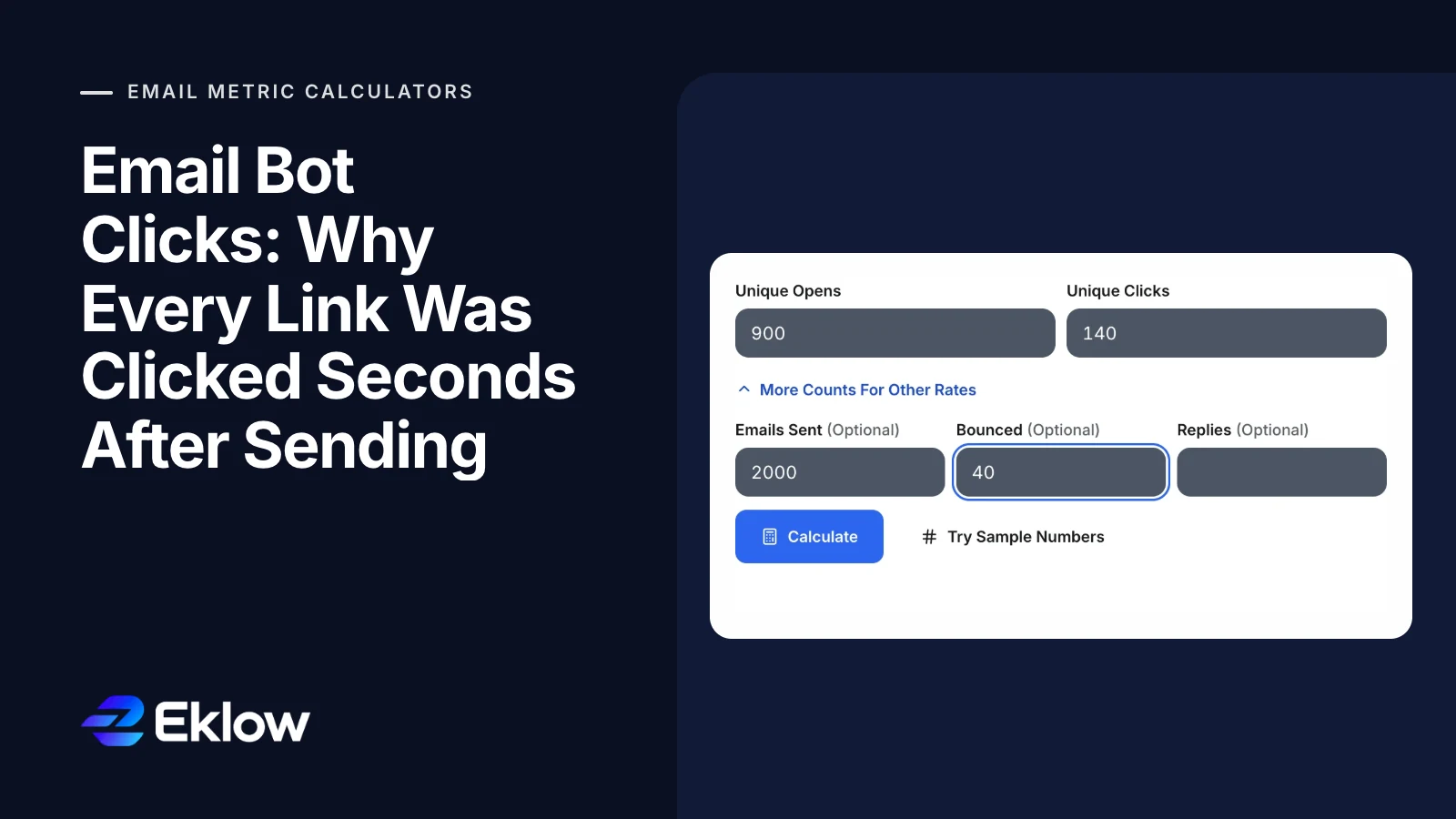
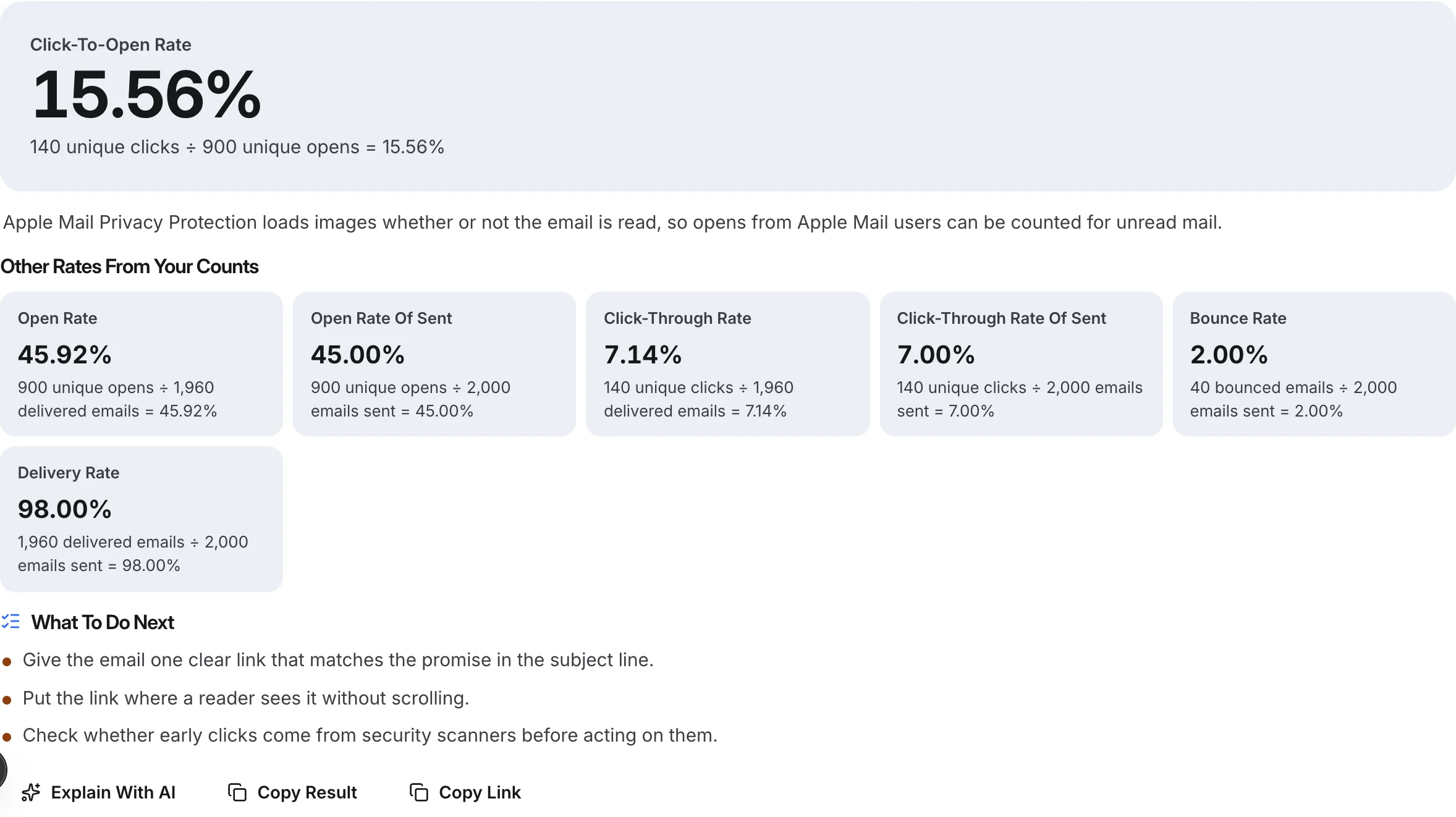
Take 2,000 emails sent, 40 bounced, 900 unique opens and 140 unique clicks. Click-to-open rate is 140 / 900 = 15.56%, and click-through rate of delivered is 140 / 1,960 = 7.14%. If you later learn that 60 of those clicks happened within five seconds of delivery at company domains, the realistic picture is closer to 80 clicks: a CTR of about 4.1%. The rate itself did not lie; its input did.
For cold email, both numbers matter less than replies. A reply cannot come from a scanner. Our deliverability metrics guide explains which numbers to watch and which are decoration.
Questions About Bot Clicks
Why Is My Click-To-Open Rate Over 100%?
Because something clicked without loading the tracking image. Security scanners follow links but often skip images, and recipients who block images can click without an open being recorded. A CTOR over 100% is a sign that clicks and opens are counting different things, not that your email was extraordinary.
Can I Block Security Scanners From Clicking?
No, and you would not want to: a scanner that cannot check your links may treat the email as suspicious. Let scanners follow links, and filter them out of your counts instead. Keep links few and pointing to your own domain so they pass scanning cleanly.
Can A Bot Unsubscribe My Contacts?
Only if your unsubscribe link takes effect on a simple page load. Scanners send GET requests to every link, so an unsubscribe that triggers on GET can remove people who never asked. Use a confirmation step or one-click unsubscribe, which RFC 8058 defines as a POST request that scanners do not make.
Should I Turn Off Click Tracking In Cold Email?
Many senders do for the first email, because tracked links rewrite your URLs through a tracking domain and the click data is noisy anyway. If you keep it, count unique clicks, filter scanners and judge the campaign on replies.
How Eklow Handles This
Our free click-to-open rate calculator works out CTOR from unique clicks and opens, and with sent and bounced counts it adds click-through rate of delivered and of sent, each with its working. Clicks above opens are explained rather than turned into a rate over 100%, and the next steps include checking whether early clicks come from security scanners before acting on them.
Inside Eklow, only the first click on each email is stored, and clicks from agents that identify themselves as scanners, bots or previews are dropped. Loading an unsubscribe link, as scanners do, does not by itself unsubscribe anyone, and every campaign email carries one-click unsubscribe headers. Reports show clicks per campaign beside replies, so a click never stands in for engagement on its own. To check the rest of the funnel, the email open rate calculator and email bounce rate calculator use the same counts.
Keep reading
- MetricsApple Mail Privacy Protection: What Your Open Rate Means NowApple Mail Privacy Protection loads every image whether or not the email is read. What it does to your open rate, open times and tests, and what to use instead.6 min read
- DeliverabilityIs My Domain Hurting My Deliverability? A Domain Reputation Check, Signal By SignalHow to check your domain's reputation as an email sender: the public signals receivers can see, how to read each one by hand, and what to fix first when your domain is the problem.5 min read
