


Introduction
The campaign report says 60% opened, which would be your best result ever. Replies: two. Clicks: a handful. Half the "opens" happened within a minute of delivery, at 3 a.m. in the recipient's time zone, and your resend-to-non-openers step skipped hundreds of people who almost certainly never saw the email.
That gap between opens and everything else is mostly Apple Mail Privacy Protection. When a user turns it on, Apple's Mail app downloads remote content, including the tracking image that counts an open, in the background as soon as the email arrives, whether or not anyone reads it. So for those recipients, an open means "delivered to Apple Mail", not "read". Your open rate is inflated, open times are meaningless, and anything that branches on opens misfires. The practical answer is to treat opens as a rough trend on the same list at most, and to judge campaigns on clicks and, for cold email, replies.
What Apple Mail Privacy Protection Actually Does
Apple introduced the feature with iOS 15 and macOS Monterey in 2021. Its privacy page says that with Protect Mail Activity on, the Mail app "downloads remote content in the background by default, regardless of whether you engage with the email", routes it through relays and hides the recipient's IP address (Apple: Mail Privacy Protection & Privacy).
An email open is normally measured by a tiny image with a unique address. When it loads, the sender counts an open. Apple loading every image on arrival means the image loads for every message to an Apple Mail user with the setting on, read or not. It applies to the Mail app on iPhone, iPad and Mac, regardless of which provider hosts the mailbox: a Gmail or Outlook address read in Apple Mail is affected too.
What It Breaks In Your Reporting
| What You Measure | What Happens | What To Use Instead |
|---|---|---|
| Open rate | Inflated by machine-loaded opens | Clicks and replies; opens only as a same-list trend |
| Open time | Shows delivery time, not reading time | Reply and click times |
| Location and device from opens | Shows Apple's relay, not the reader | Nothing reliable from opens |
| Subject line A/B tests by opens | Winner can be noise | Test on replies or clicks |
| Resend to non-openers | Skips people who never read it | Resend by no reply, or not at all |
| Click-to-open rate | Pushed down by extra opens in the base | Click-through rate of delivered |
The effect runs one way: Apple Mail Privacy Protection adds opens, it never removes them. Image blocking in other clients works the other way, recording nothing for some people who did read. Put together, an open rate is neither a ceiling nor a count of readers. It is a mix of machines and people in unknown proportions.
How Much Does It Inflate Your Open Rate?
There is no figure that applies to your list. The effect depends on how many of your recipients read mail in Apple Mail with the setting on, which varies by audience: a consumer list heavy on iPhones is affected more than a list of developers on desktop webmail. Be wary of any flat percentage you see quoted as "the MPP adjustment". If your sending tool flags opens that came from Apple's relays, you can remove those; otherwise, you cannot know the share precisely.
A Worked Example
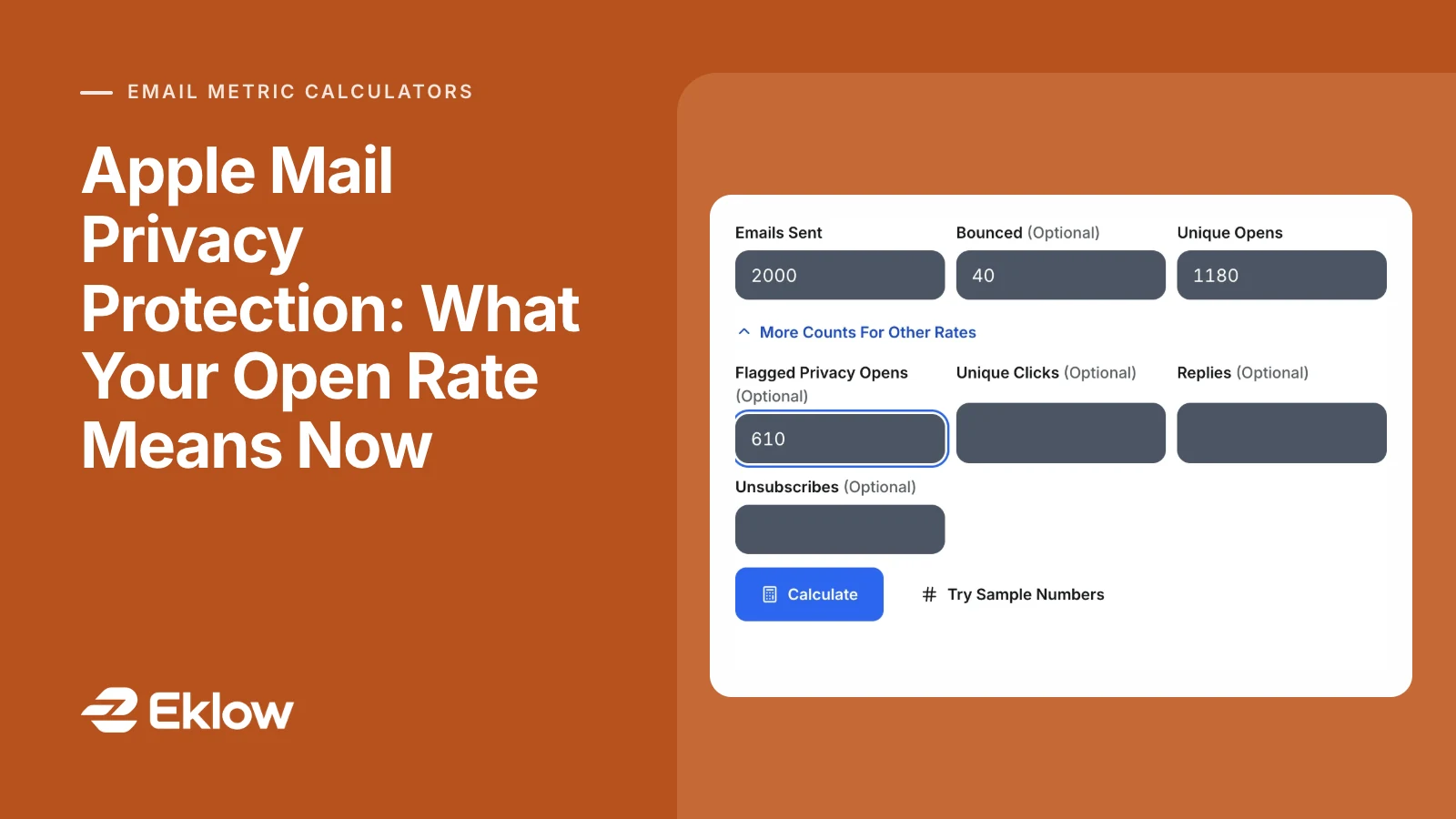
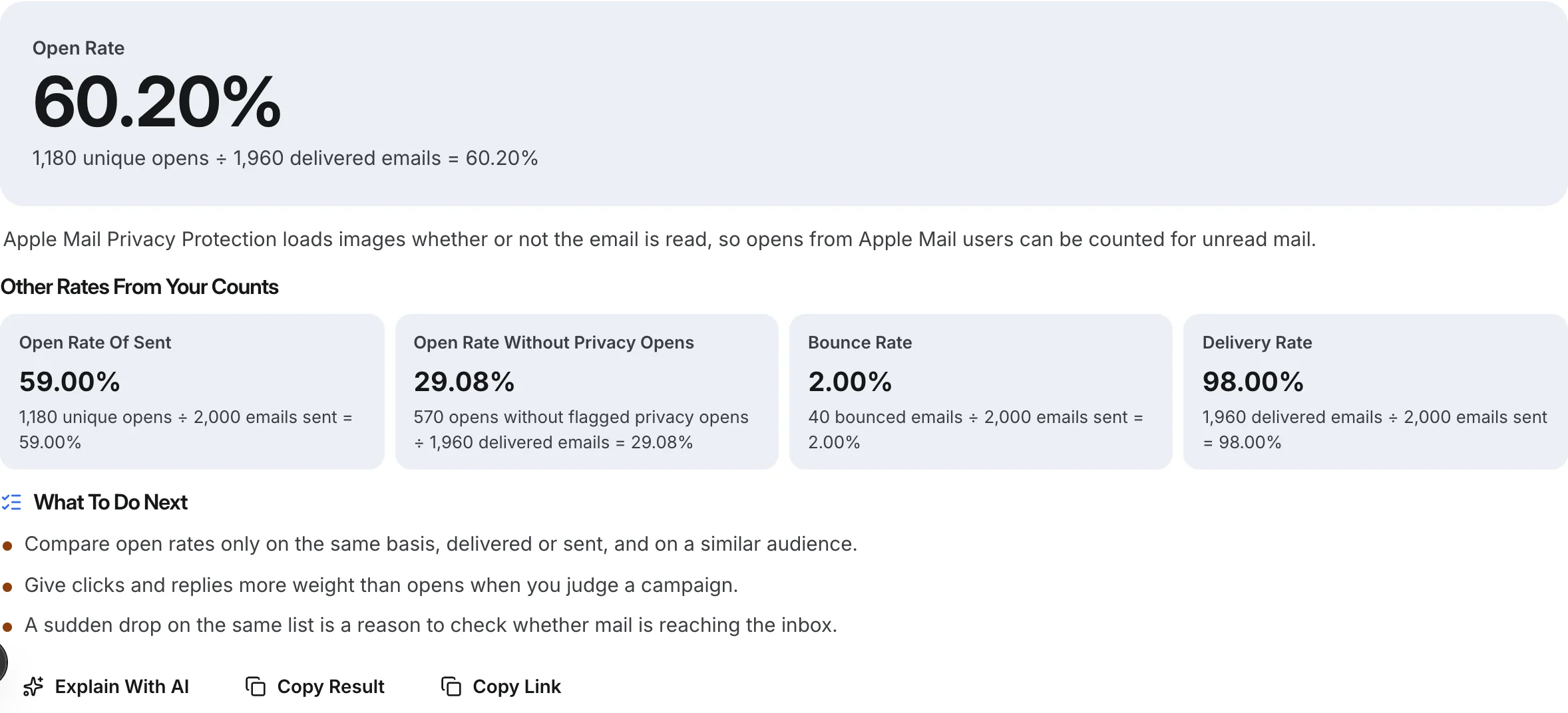
A campaign of 2,000 emails with 40 bounces leaves 1,960 delivered. It records 1,180 unique opens, of which the sending tool flags 610 as coming from Apple's privacy relays.
Open rate (delivered):        1,180 / 1,960 = 60.20%
Open rate (sent):             1,180 / 2,000 = 59.00%
Without flagged privacy opens: (1,180 - 610) / 1,960 = 29.08%
The adjusted figure is still not a count of readers. Some of the remaining 570 are other automated fetches, and some genuine readers never loaded images at all. But it is a far better basis for comparing two campaigns than 60%.
What To Measure Instead
- Replies, for cold email. A reply cannot be generated by a privacy feature. Count replies per prospect across a sequence; our deliverability metrics guide explains why it is the one engagement number to trust.
- Clicks, carefully. Clicks need an action, though security scanners can fake those too. Count the first click per email and be suspicious of clicks seconds after delivery.
- Opens as a trend on the same list. A sudden fall in opens on a list you send to every week can still signal that mail stopped reaching the inbox, even though the absolute number means little.
- Inbox placement directly. If you want to know whether email lands in the inbox, test that, rather than inferring it from opens. Our inbox placement guide covers how.
Fix Automations That Depend On Opens
Anything that says "if opened, do X" now does X for many people who never read the email. Review sequences, lead scores and alerts that use opens. Common fixes: send the next step on no reply rather than no open; drop open-based lead scoring for cold contacts; never treat an open as a buying signal worth a phone call. Keep the open condition only where a false positive costs nothing.
Questions About Apple Mail Privacy Protection
Can I Stop Apple Mail Privacy Protection From Affecting My Emails?
No. It is a setting on the recipient's device, and a sender cannot detect or disable it per message. What you can control is how you measure: rely on replies and clicks, use flagged privacy opens if your tool provides them, and stop using opens to trigger actions.
Does It Affect Gmail Or Outlook Users?
It affects anyone reading in Apple's Mail app with the setting on, whatever the mailbox provider. Someone reading a Gmail address in Apple Mail on an iPhone is affected; the same person reading in the Gmail app is not. Other providers have their own image handling, such as proxies and blocking, which change opens in different ways.
What Is A Good Open Rate Now?
There is no meaningful benchmark across companies any more, because each list has a different share of Apple Mail users. Compare a campaign only with your own earlier campaigns to similar audiences, on the same basis (delivered or sent), and give clicks and replies more weight when the two disagree.
Should I Turn Off Open Tracking For Cold Email?
Many cold emailers do, because the number is unreliable and a tracking image adds a remote image to an otherwise plain email. If you keep it, use it only as a same-list trend. Either way, measure cold outreach on replies.
How Eklow Handles This
Our free email open rate calculator gives the open rate of delivered and of sent emails with the working for each, and has an optional field for flagged privacy opens. Enter that count and it shows the open rate without those opens beside the headline figure. It never applies a flat discount, because no published figure says what share of your list uses the feature.
To measure what matters for cold email, the cold email reply rate calculator works out replies per email or per prospect. Inside Eklow, an open is stored once per message, the first time the tracking image loads, and fetches from agents that identify themselves as scanners or previews are dropped. Reports show opens, clicks and replies per campaign, mailbox and domain, and show a dash instead of 0% when something could not be measured. Reading analytics explains each number.
Keep reading
- MetricsEmail Bot Clicks: Why Every Link Was Clicked Seconds After SendingEmail bot clicks come from security scanners that follow every link before anyone reads the email. How to spot them, what they break, how to count real clicks.5 min read
- DeliverabilityIs My Domain Hurting My Deliverability? A Domain Reputation Check, Signal By SignalHow to check your domain's reputation as an email sender: the public signals receivers can see, how to read each one by hand, and what to fix first when your domain is the problem.5 min read
