


Introduction
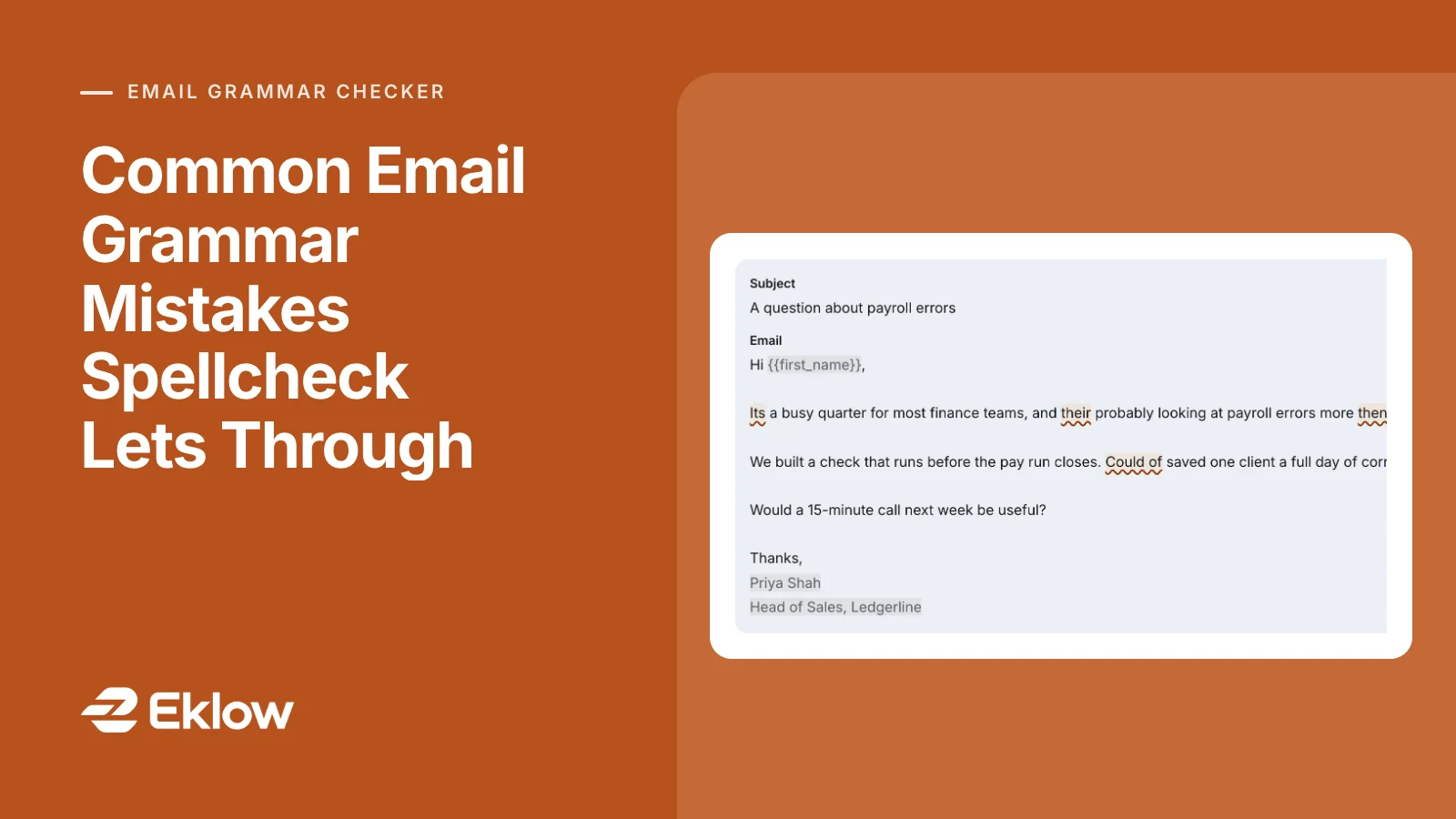
The reply came within the hour, which should have been good news. It said: "*it's. Not interested." Your opening line read "Its a busy quarter for most finance teams", the email had gone to 400 people, and the red squiggle never appeared because every word in it was spelled correctly.
That is the trouble with the most common email grammar mistakes: they are real words in the wrong place, so a spellchecker passes them. "Its" for "it's", "their" for "they're", "then" for "than", "could of" for "could have" and "your" for "you're" account for most of the errors people notice in business email. In a one-to-one email a slip costs you a little credibility. In a campaign, the same slip goes to every contact on the list. Below are the mistakes worth checking for, why each one happens, and a fix you can remember.
Why Spellcheck Misses These Mistakes
A spellchecker compares each word with a dictionary. "Their", "then" and "its" are all in the dictionary, so it has nothing to complain about. Catching them needs a grammar rule that looks at the words around them: "its" followed by "a" is almost always "it's", and "more" followed later by "then" is almost always "than". Email clients and phone keyboards mostly check spelling, not these patterns, and autocorrect sometimes introduces the error itself by "fixing" a contraction.
The Grammar Mistakes That Show Up Most In Email
| Wrong | Right | How To Remember |
|---|---|---|
| Its a busy quarter | It's a busy quarter | If you can say "it is" or "it has", write it's |
| Your welcome to join | You're welcome to join | If you can say "you are", write you're |
| Their probably busy | They're probably busy | They're = they are; their = belonging to them |
| Send there team the link | Send their team the link | There is a place; their owns something |
| Faster then before | Faster than before | Than compares; then is about time |
| Could of helped | Could have helped | "Could've" sounds like "could of"; it is never of |
| To or three options | Two or three options | The number is two |
| Hi Priya I wanted | Hi Priya, I wanted | A greeting takes a comma before the message |
Its Or It's
This one causes more cringing replies than any other because it hides in the most common opener of all: "It's been a while", "It's a busy time of year". The apostrophe marks missing letters, so "it's" is "it is" or "it has". The possessive has no apostrophe at all, just like "his" and "hers": "the tool and its reports". Read the sentence with "it is" in place of the word; if it still makes sense, you need the apostrophe.
Their, They're And There
Sales emails talk about other people's teams, tools and customers all the time, which gives this trio plenty of chances to go wrong. "Their team is hiring" (belonging to them), "they're hiring" (they are), "the role is there on the careers page" (a place). The usual slip is typing "their" for "they're" before a verb ending in -ing: "their probably looking", "their already using".
Then Or Than
Comparisons are everywhere in a pitch: faster, cheaper, fewer errors, more time. Each one needs "than". "Then" belongs to sequences: "set it up, then run your first check". A good test is whether the sentence compares two things; if it does, you want "than".
Could Of, Should Of, Would Of
Spoken quickly, "could've" sounds exactly like "could of", which is how the error gets typed. It is always "could have", "should have" and "would have". If you are writing the contracted form, put the apostrophe in "could've", though in a first email to a stranger the full form reads better.
Mistakes Only Email Has: Merge Fields And Signatures
Campaign email adds a category of mistake that a normal document never has: text that changes per contact. A sentence can be correct for one company name and wrong for another.
- Agreement that depends on the field. "{{company}} are hiring" is fine in British English, where a company is often treated as plural, and reads oddly to many American readers, who usually write "is". Neither is wrong; choose the form your readers expect and keep it consistent.
- Articles before a field. "As a {{job_title}}" breaks when the title starts with a vowel sound: "As a operations manager". Rewrite the sentence so the article does not touch the field: "In your role as {{job_title}}".
- Empty fields. "Hi {{first_name}}," becomes "Hi ," when the field is blank. Use a fallback such as {{first_name|there}} so the greeting still reads.
- Broken braces. A missing closing brace sends the raw text, "Hi {{first_name,", to every contact. That is not a style issue, it is an error.
- Names in the signature. Your own name, title and product name trip dictionary rules. They are not mistakes, so a checker should not shout about them.
Our guide to testing a cold email template for spam covers the same render-with-real-data check from the deliverability side: a template that arrives with a raw merge field is both a grammar slip and a signal that the email went out in bulk.
How To Catch Them Before You Send
- Search for the usual suspects. Use find on its, your, their, there and then, and read each sentence with the long form ("it is", "you are", "they are") in its place.
- Read it aloud, slowly. Your ear catches "could of" and a missing word faster than your eye, because your eye fills in what you meant.
- Preview with a real contact and with an empty one. Every merge field should read well both filled in and falling back.
- Run a grammar check that looks at context. A dictionary check alone will pass every example in the table above.
- Change one thing at a time. Accepting every suggestion at once is how a correct sentence gets "fixed" into a wrong one.
Do Grammar Mistakes Hurt Deliverability?
Not directly. Mailbox providers do not publish a rule that penalises a misplaced apostrophe, and we have no evidence that a filter scores grammar as such. The cost is with the reader: an email that looks careless earns fewer replies and makes the "report spam" button easier to press. Broken merge fields are different, because raw template text is a visible sign of bulk mail. Our spam trigger words guide covers what wording filters actually weigh.
Questions About Email Grammar
Do You Need A Comma After Hi In An Email?
Conventionally, yes: "Hi Priya," with a comma after the name, then the message on a new line. Strict grammar also puts a comma between "Hi" and the name ("Hi, Priya,"), but almost nobody writes it that way in email, and leaving it out is widely accepted. What matters most is being consistent.
Should The First Word After The Greeting Be Capitalised?
Yes. Although the greeting ends in a comma, the message that follows starts a new sentence on a new line, so it takes a capital letter: "Hi Priya," followed by "Thanks for the quick reply." Starting it in lower case makes the first line look like the end of the greeting.
Should I Use British Or American Spelling?
Use the spelling your reader uses. A UK prospect will not mind "organize", but matching "organise", "colour" and "centre" reads as written for them. Pick one variant per email and stick to it, since mixed spelling looks like text pasted together from different sources.
Why Does A Checker Flag My Company Name?
Because it is not in the dictionary. Product names, surnames and brand spellings are unknown words to a spelling rule. A sensible checker treats an unknown capitalised word as a suggestion rather than an error, and lets you add it to your own word list so it is not flagged again.
How Eklow Handles This
Our free email grammar checker runs context rules on top of spelling, so it catches the real-word mistakes in the table above: its for it's, your for you're, their for they're, there for their, then for than, to for two, and could of. Each one is marked on the exact words with the reason and the fix, and nothing changes until you accept it.
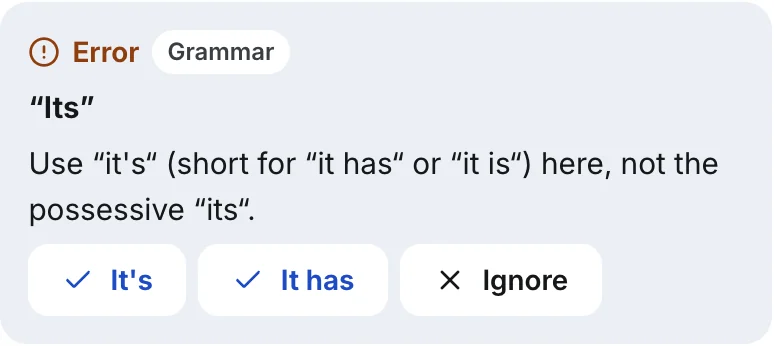
Merge fields such as {{first_name}} and {{first_name|there}}, links, email addresses, your signature and quoted replies are set aside before any rule runs, so they are never flagged or rewritten. When a sentence's grammar depends on what a field fills in, the checker says so as a suggestion rather than calling it wrong, and a malformed merge field is reported as an error because it would be sent broken. Unknown capitalised words such as names land as suggestions, and Add To My Words stops them coming back. It checks English in US, UK, Canadian, Australian, New Zealand and South African spelling, plus more than twenty other languages.
Inside Eklow, every step in the sequence editor shows a content score from the same checks as our email template checker, so a broken merge field or a spam-list phrase is visible before the campaign launches.
Keep reading
- CopywritingHow To Proofread An Email Before You Hit SendHow to proofread an email in five minutes: names, merge fields, links, the attachment you mentioned, dates and the thread below. A checklist for real slips.7 min read
- CopywritingEmail Tone: The Words That Make Your Request Sound UnsureEmail tone problems you can measure: hedges like just and maybe, apologetic openers, passive voice, long sentences and too many questions. How to fix each one.7 min read
